
How to find Research articles with DBS iBanking through "Market Information"?
It is free to get real-time detailed quotes, access major indices, top movers, research, market news and announcements, warrants and IPO information
To find Research articles with DBS iBanking through Market Information, please follow below steps:
1. First of all, you have to open a securities account and register for DBS iBanking service.
- Clicke here for Securities Account opening
- Click here to get started on DBS iBanking
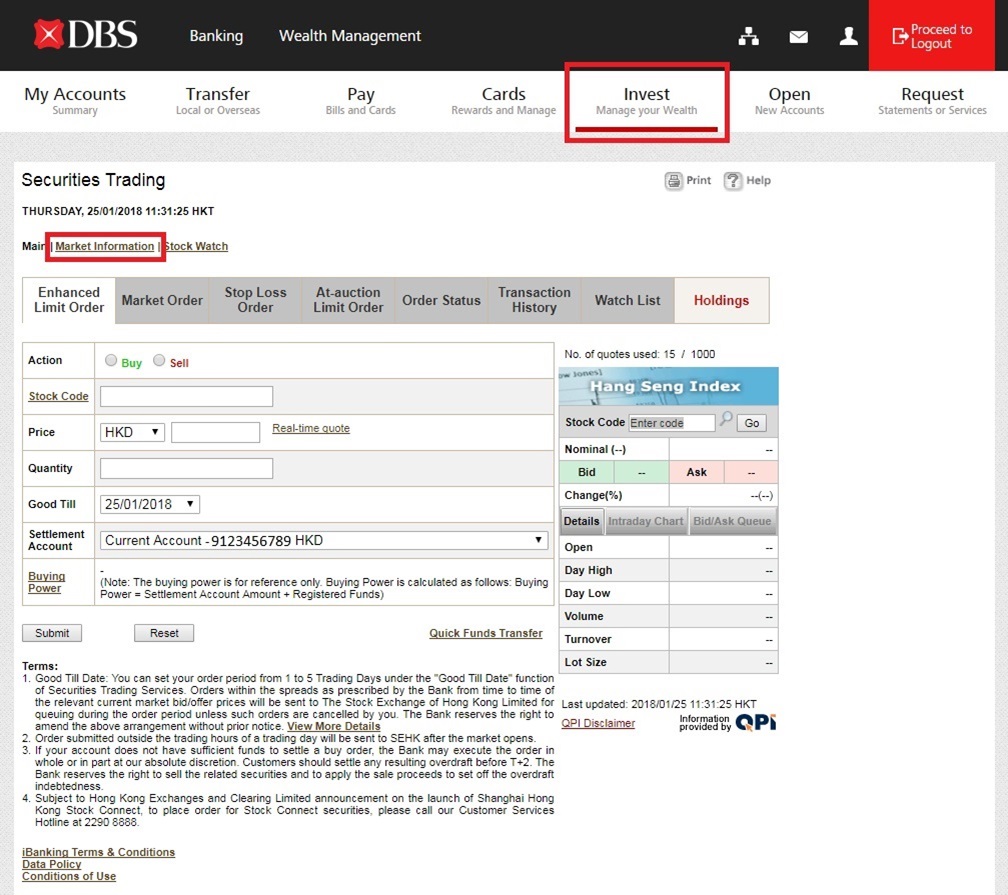
2. To access free Stock Quote, login DBS iBanking and choose Market Information under Invest
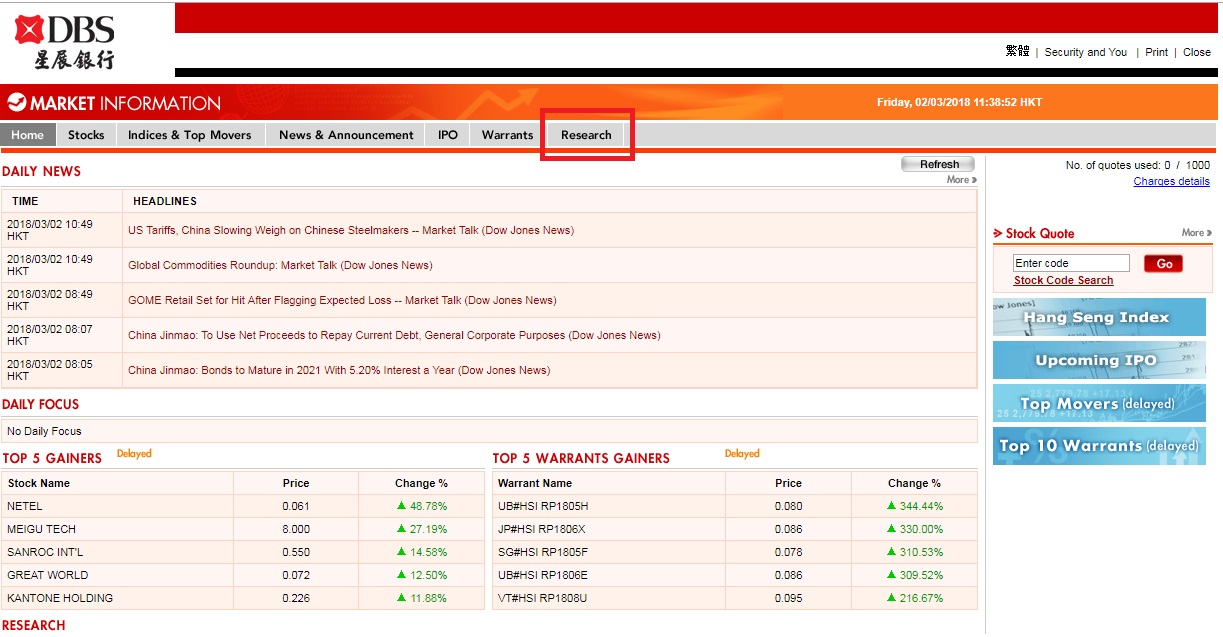
3. Choose Research on the top menu.
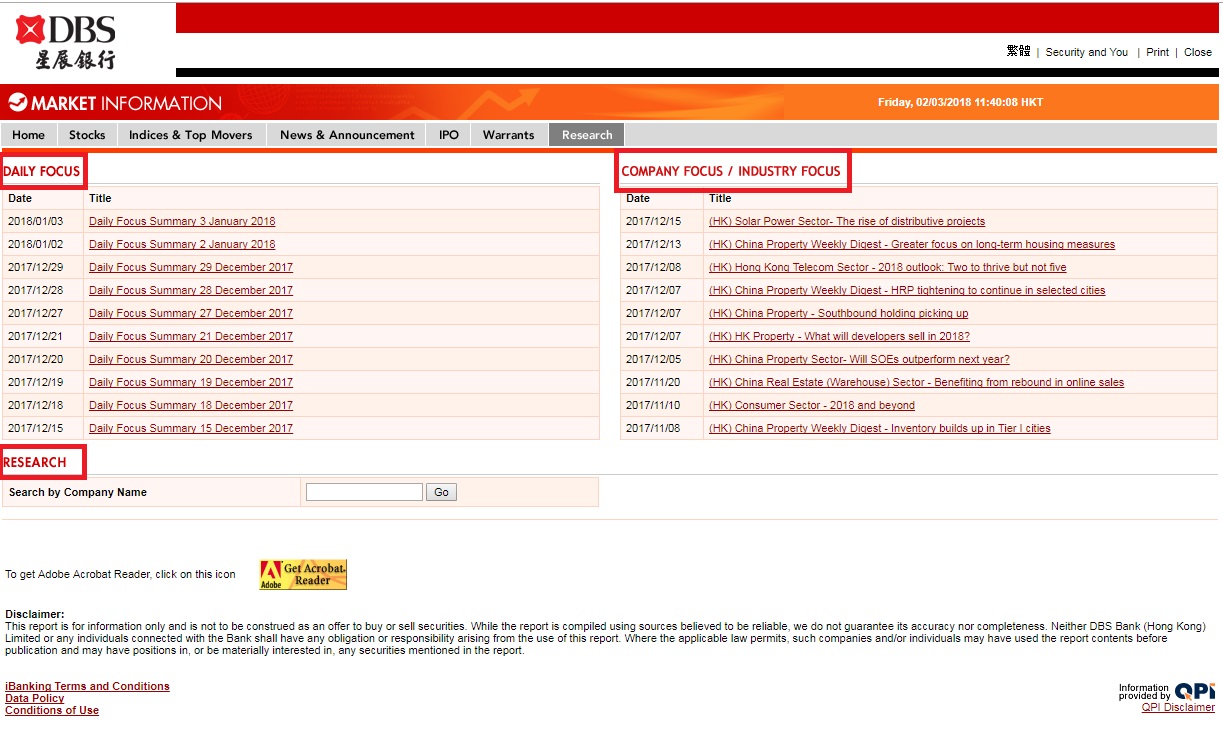
4. Under Research, below information is provided:
- Daily Focus
- Company Focus/ Industry Focus
- Research: a search function to find previous Daily Focus and Company Focus/ Industry Focus
Related Information
We Welcome your Feedback
Need more help?
Contact support and we'll try to resolve your issue quickly.
Contact Customer Support