
Update new email address for my bank account
You can update your email address for your bank account through DBS iBanking or application form.
You can update your email address for your bank account through DBS iBanking or application form. Please note that updates made through DBS iBanking or submitted with a duly completed form at a branch are normally processed within 5 business days.
Note: Before updating the email address on your bank account, please remove all one-time scheduled transaction instructions to ensure any related notifications are received at your new email address. Plus, please have your Secure Device or Digital Token ready to complete the email address update. If you don't have one, please set up via DBS digibank HK > "More" > "Manage Digital Token". Click here for more details. Upon successful setup of your Digital Token, your email address will be simultaneously updated. In addition, a 12-hour cooling period will take effect as a security control.
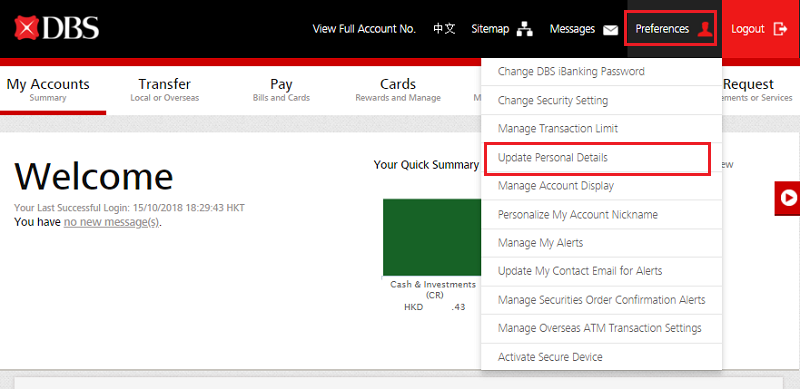
Log in to DBS iBanking.
Click "Preference" at the right upper corner, then select "Update Personal Details" on the pull down menu.
For security reasons, you need to authenticate before updating your personal details. Click "Authenticate Now".
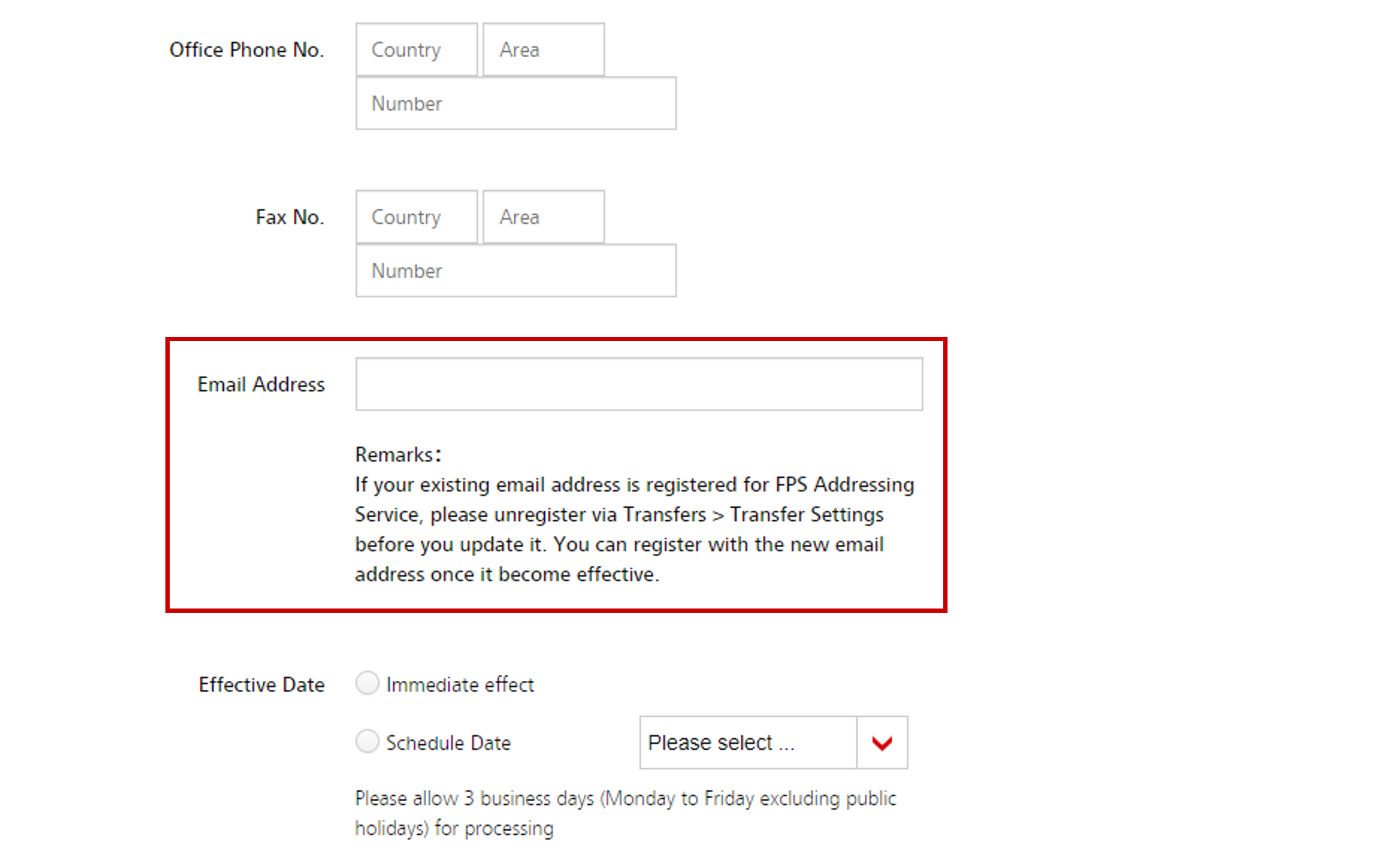
Input your new email address at "Email Address" field.
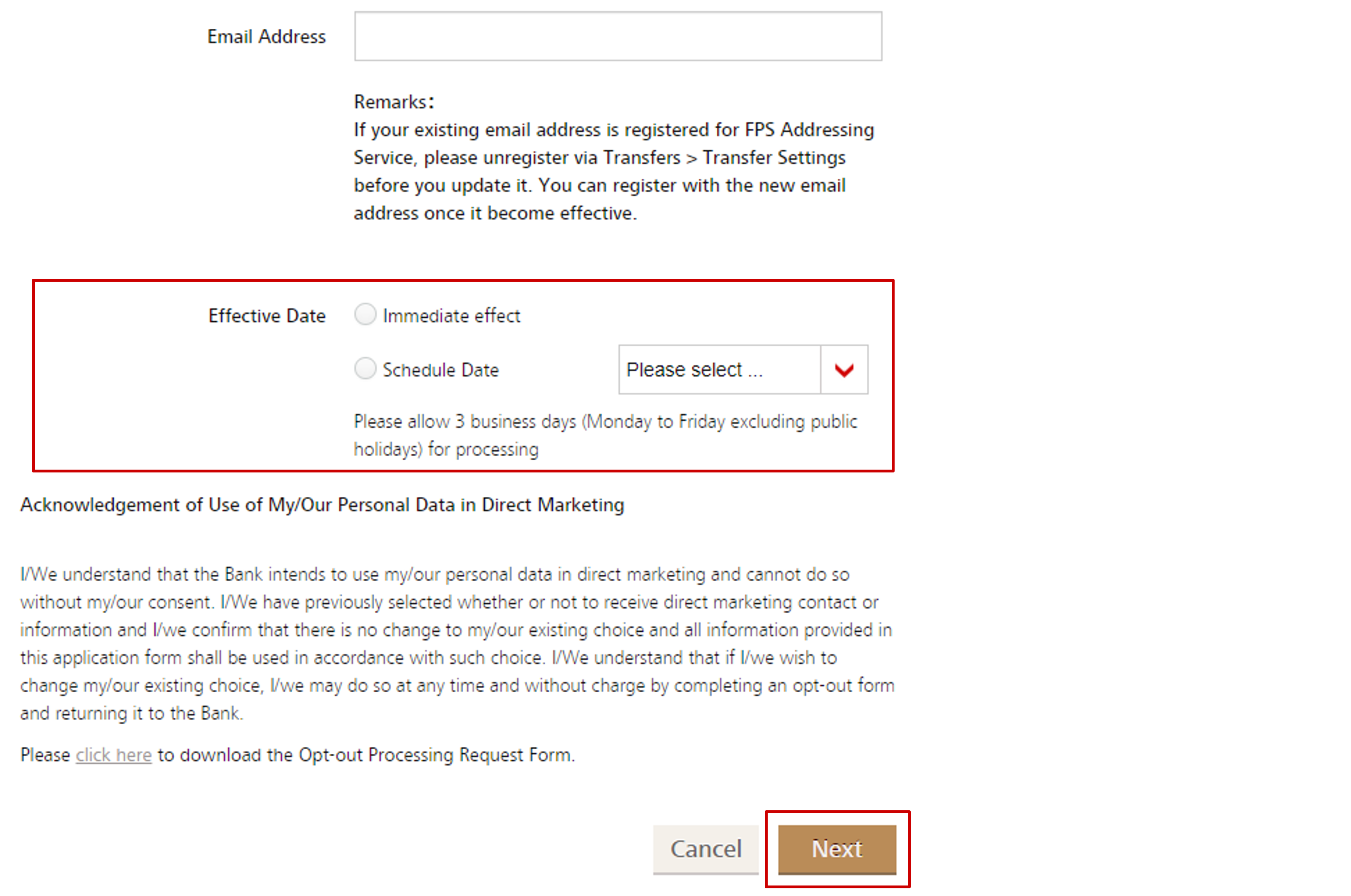
Select "Immediate effect" or "Schedule Date" for your changes, then click "Next" to proceed.
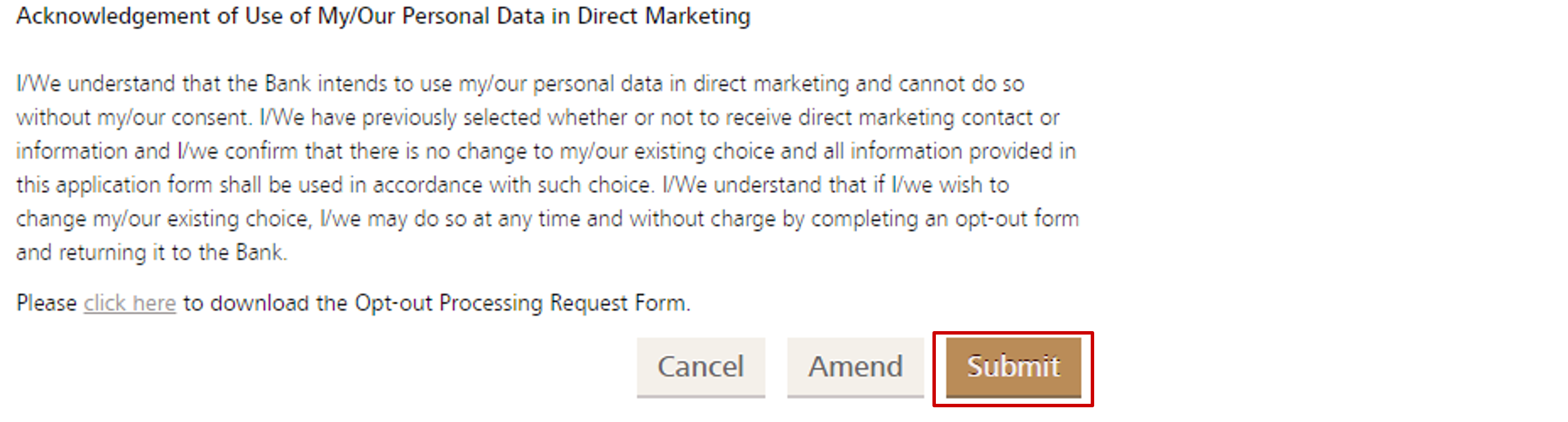
Verify details & click "Submit".
(Click here to learn more about our bank latest authentication method.)

Remarks: The changes will take effect within 5 business days (Monday to Friday excluding public holidays).
Related Information
We Welcome your Feedback
Need more help?
Contact support and we'll try to resolve your issue quickly.
Contact Customer Support