
dbs_logo
  • 中文
  • English
  • English
  • 中文
  • Help & Support>
  • Online and Mobile Service>
  • How to change notification setting for DBS digibank HK?

How to change notification setting for DBS digibank HK?

You may change your notification setting for DBS digibank HK according to your own wish

To change your noticiation setting for DBS digibank HK, please follow the below steps:

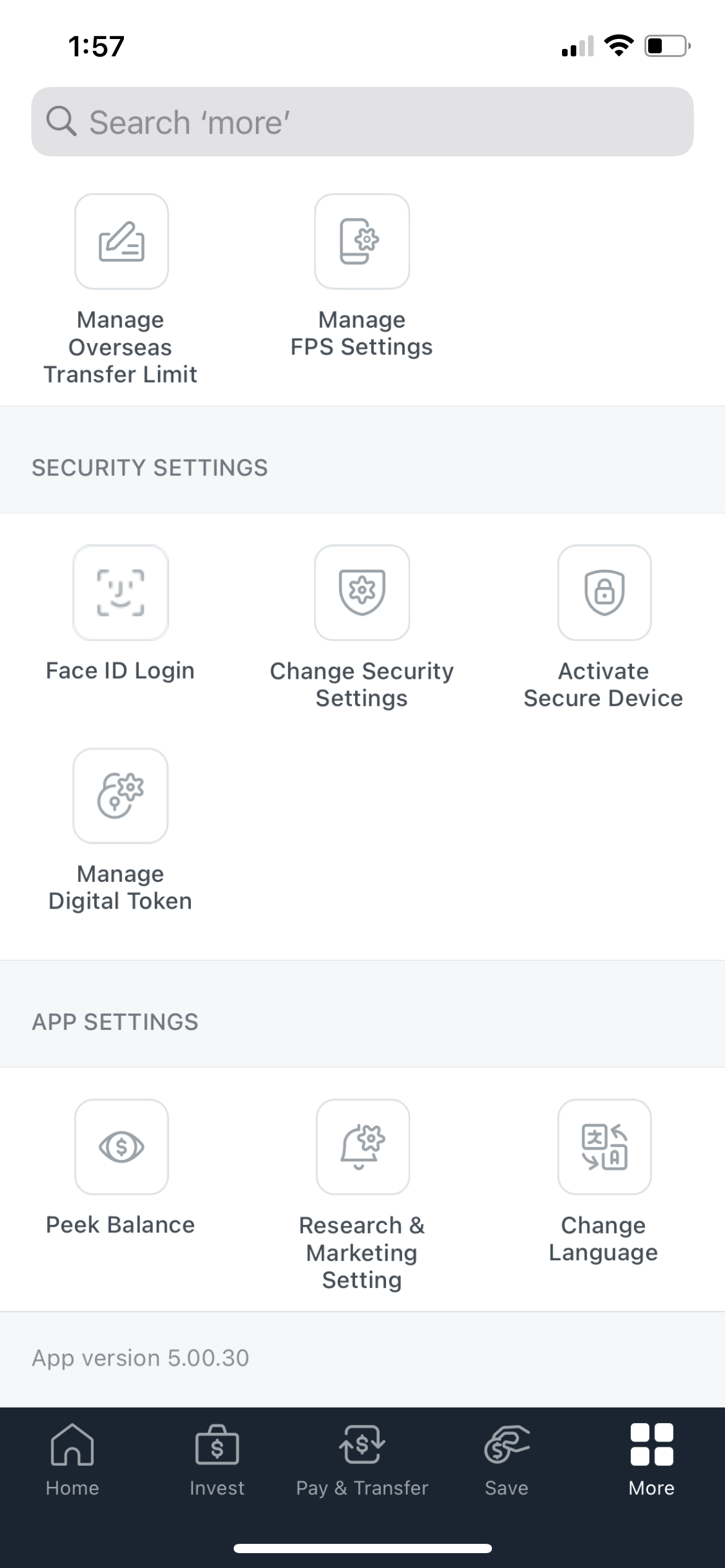
1. Login DBS digibank HK > tap "More" > select "Research & Marketing Setting"

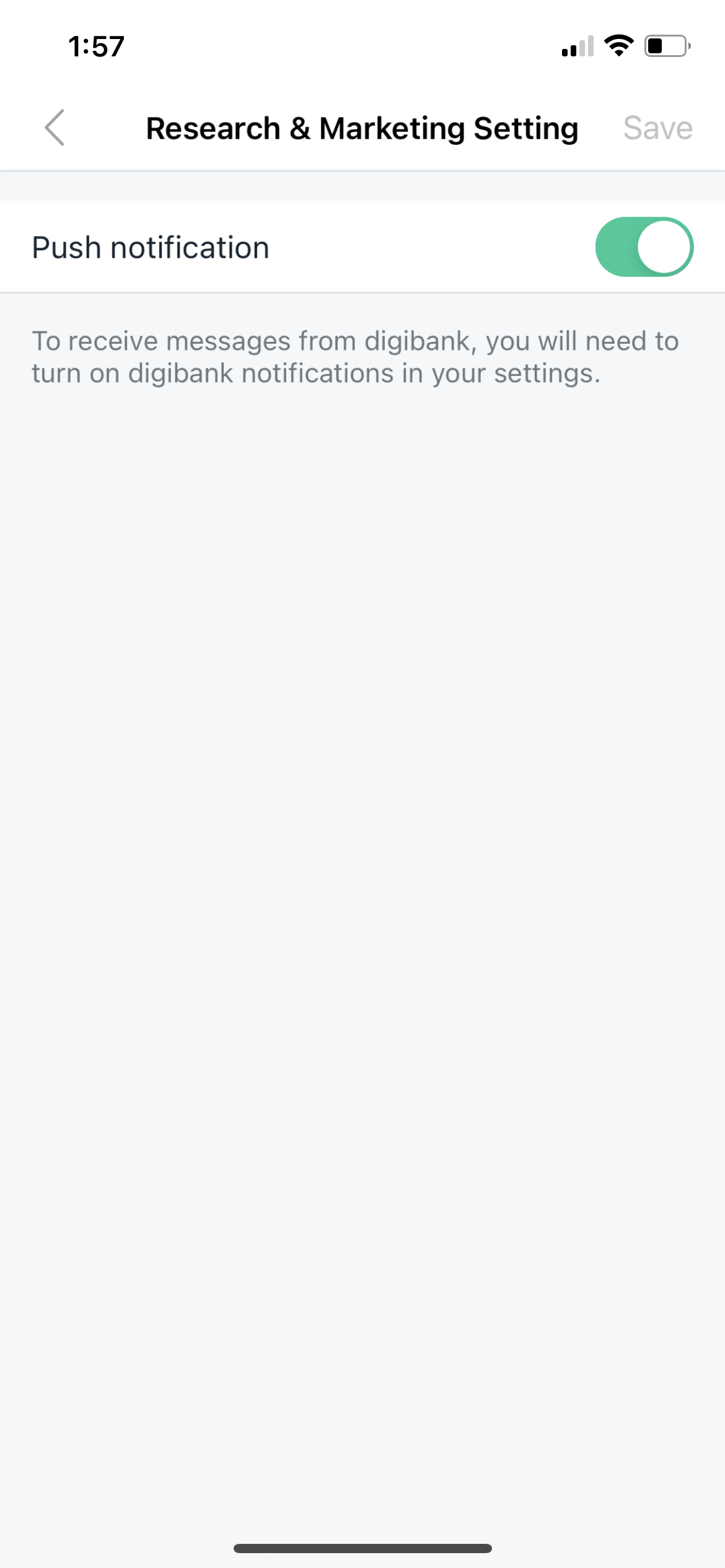
2. Enable "Push notification" and click save to complete the update.
Related Information

  • How to personalize your DBS digibank HK account?
  • How to log in DBS digibank HK with fingerprint?
  • Add Payee through DBS digibank HK

We Welcome your Feedback

Information is easy to understand and find
Information is useful to answer your inquiries completely

Thank you for your feedback

Need more help?

Contact support and we'll try to resolve your issue quickly.

Contact Customer Support
About Us
  • What's New
  • Newsroom
  • Social Good
  • Careers in DBS Group
  • Other Policies
Back to Top
Quick Links
  • Rates and Fee Schedule
  • Survey
  • DBS HK Branches
  • DBS ATM Services
  • DBS ATM Overseas
  • Internet Banking
  • DBS digibank HK
Others
  • Customer Feedback
  • Forms
  • Survey on DBS Website
Talk to our Staff
  • Contact Us
  • Website Conditions of Use |
  • Data Policy|
  • Vulnerability Disclosure Policy

  • ©DBS Bank (Hong Kong) Limited 星展銀行(香港)有限公司
Social Media