
How to view or manage scheduled local funds transfer via iBanking?
You may view the details or manage scheduled local funds transfer via iBanking with just a few clicks
To view or manage scheduled local fund transfer via iBanking, please follow the below steps:
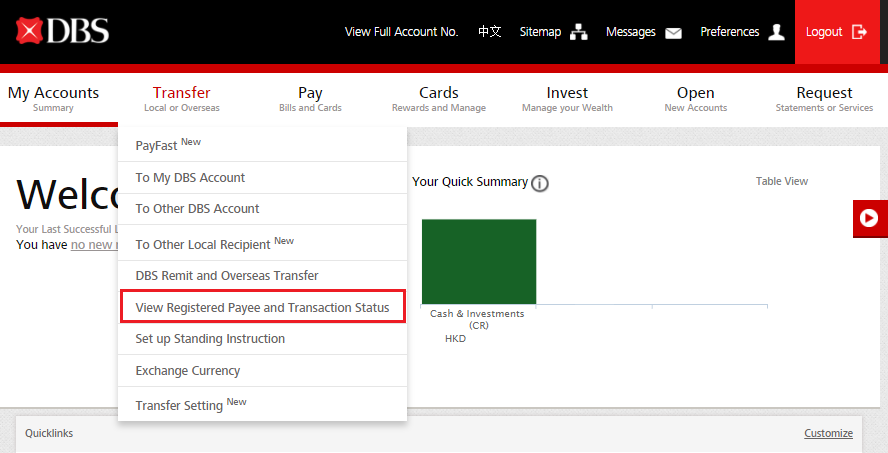
- Log in to DBS iBanking, and select “View Registered Payee and Transaction Status” under “Transfer”
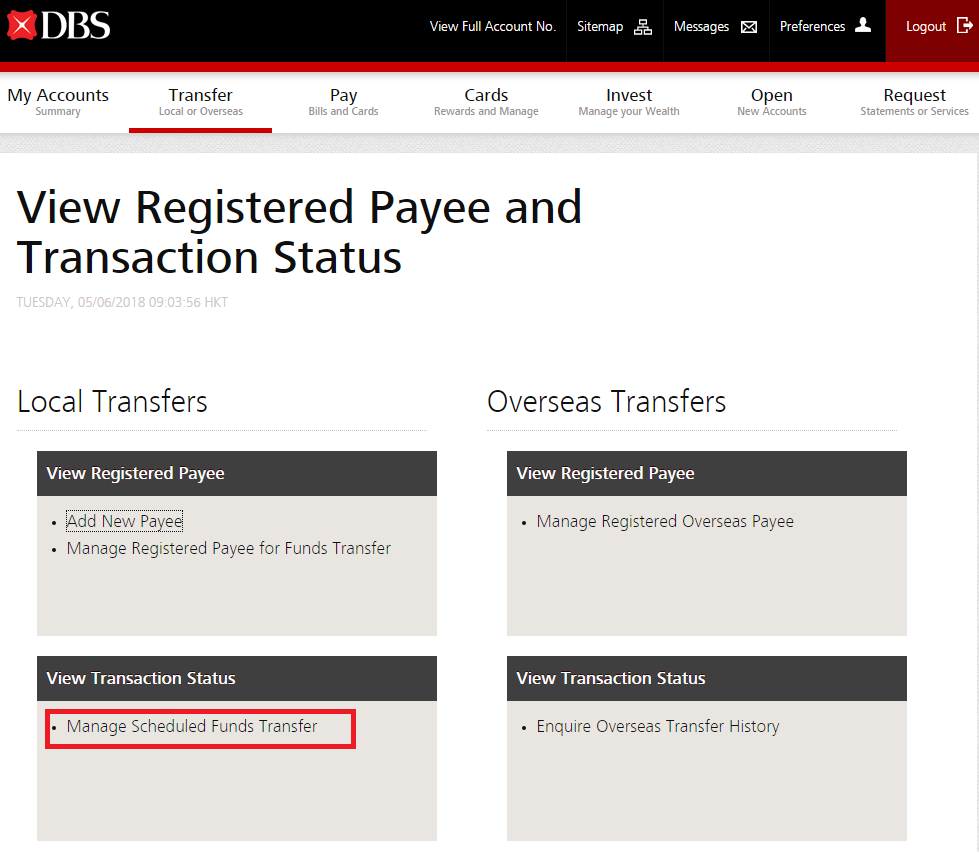
- Select “Manage Scheduled Funds Transfer” under “View Transaction Status”
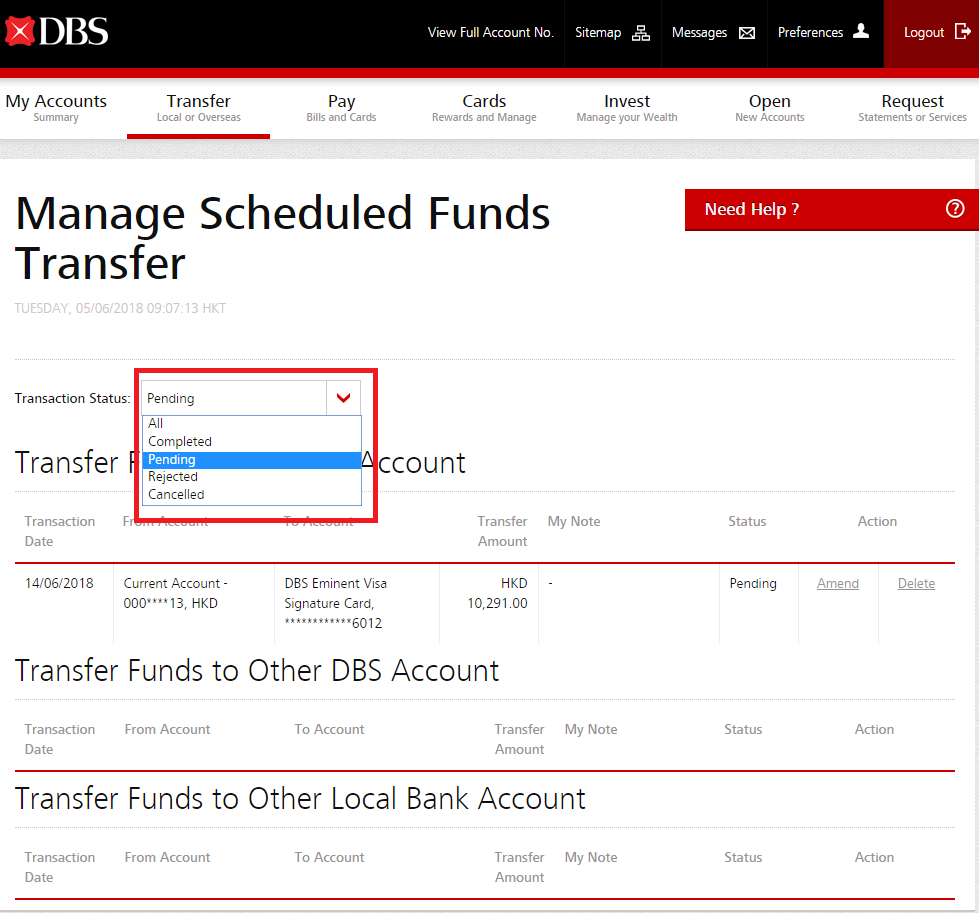
- Select the status of transfer for viewing or managing
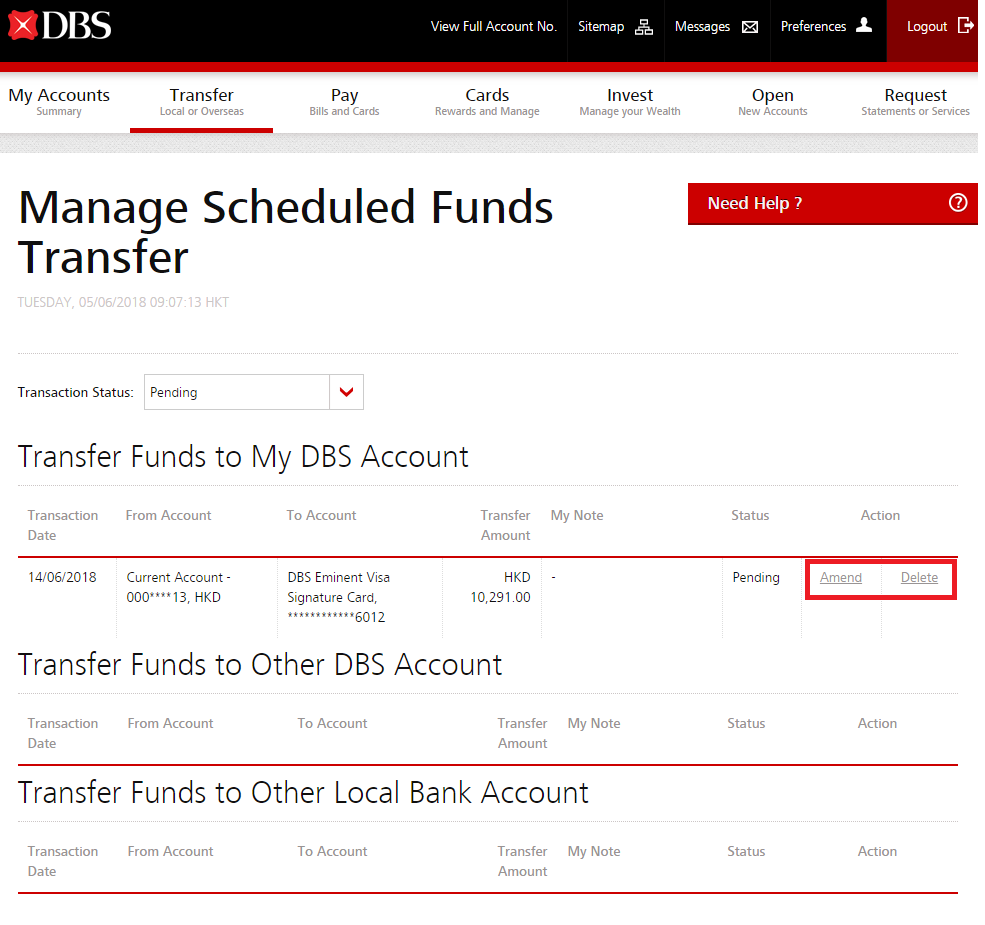
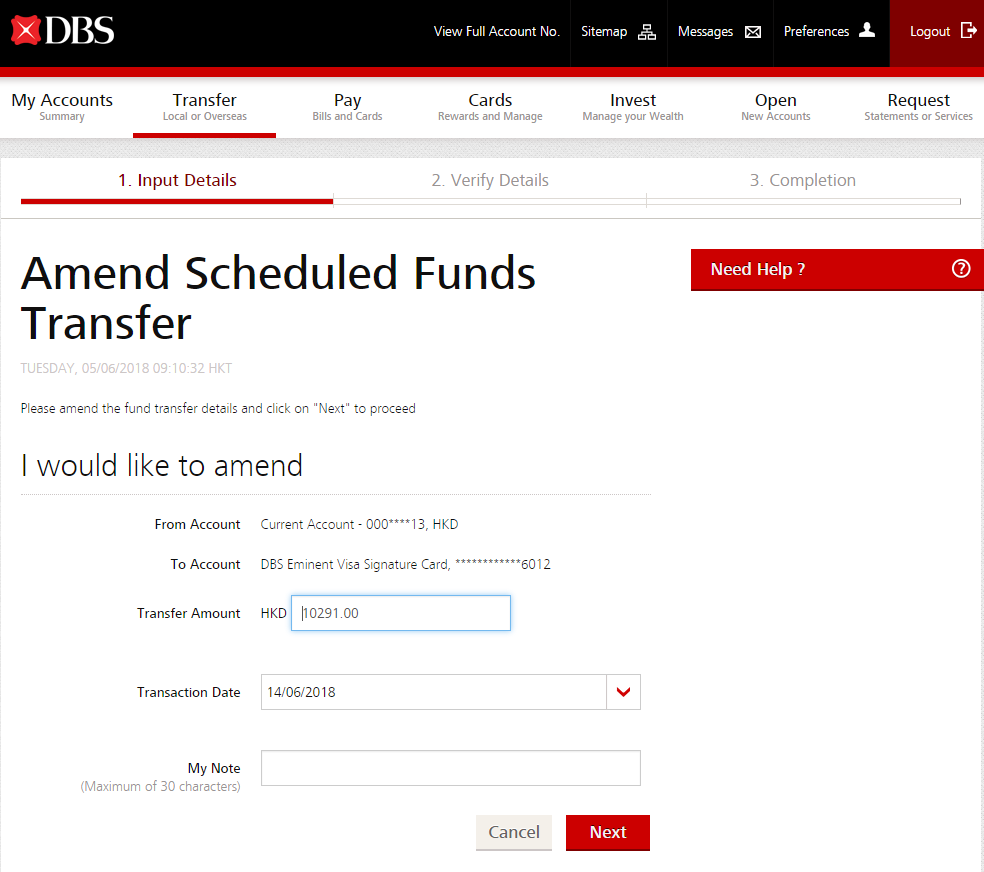
- You may either “Amend” or “Delete” the transfer
- Select “Amend” to change your transfer details and complete your changes accordingly
Related Information
We Welcome your Feedback
Need more help?
Contact support and we'll try to resolve your issue quickly.
Contact Customer Support