Go anywhere with Uber! Bind your DBS Credit Cards as payment method during the promotion period to enjoy quadruple deal offers:
Bind your DBS Credit Card to the Uber app as payment method and subscribe to Uber One through the designated link shown below during the promotion period to enjoy:
Subscribe to Uber One now
(Each cardholder can only enjoy the offer above once during the promotion period.)
[Uber One member privileges]
10% back on ridesEnjoy 10% rewards in Uber One credits on eligible Uber rides.
Top-rated driversGet priority access to top-rated drivers.
Exclusive offersAccess to occasional member-only promotions and experiences.
Bind your DBS Credit Card to the Uber app as your payment method and book a “Taxi” or “Meter Taxi” trip to/from the Hong Kong International Airport during the promotion period to enjoy:
Please input the respective Promo Code in the "Wallet" of the Uber app before booking the trip:
(Each cardholder can only enjoy the above offer once during the promotion period. Discount for each ride is capped at HK$50.)
Newly bind* your DBS Credit Card to the Uber app as payment method and complete a “Taxi” or “Meter Taxi” trip during the promotion period to enjoy:
(Each cardholder can only enjoy the above offer once during the promotion period.)
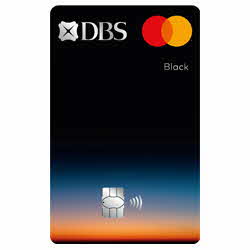
From now until 31 Dec 2026, simply bind DBS Black World Mastercard to the Uber app as payment method and offset your spending on “Taxi” or “Meter Taxi” trip with DBS$ via "InstaRedeem" in DBS Card+ app to enjoy:
(Each minimum redemption is DBS$1.)
Download Uber app
Step 1:Download and install the Uber app, then complete account registration
Step 2:Log in to Uber app, choose “Account” > “Wallet” > “Add Payment Method” from menu
Step 3:Add DBS Credit Card for payment purpose under “Credit or Debit Card”
Step 1: Tap the “Subscribe to Uber One now” button on this promotion page via mobile phone
Step 2: Tap “Continue” on the related page of the Uber app
Step 3: Tap “Try for free” to enjoy the offer (please ensure your DBS Credit Card has been added as payment method)
Step 1: Log in to Uber app, choose “Account” > “Wallet”
Step 2: Input the designated promo code under “Add Promo Code”, then book your trip to enjoy the offer for that ride
PassengerOne Traffic Accident Insurance
Learn more