
dbs_logo
  • 中文
  • English
  • English
  • 中文
  • Help & Support>
  • Online and Mobile Service>
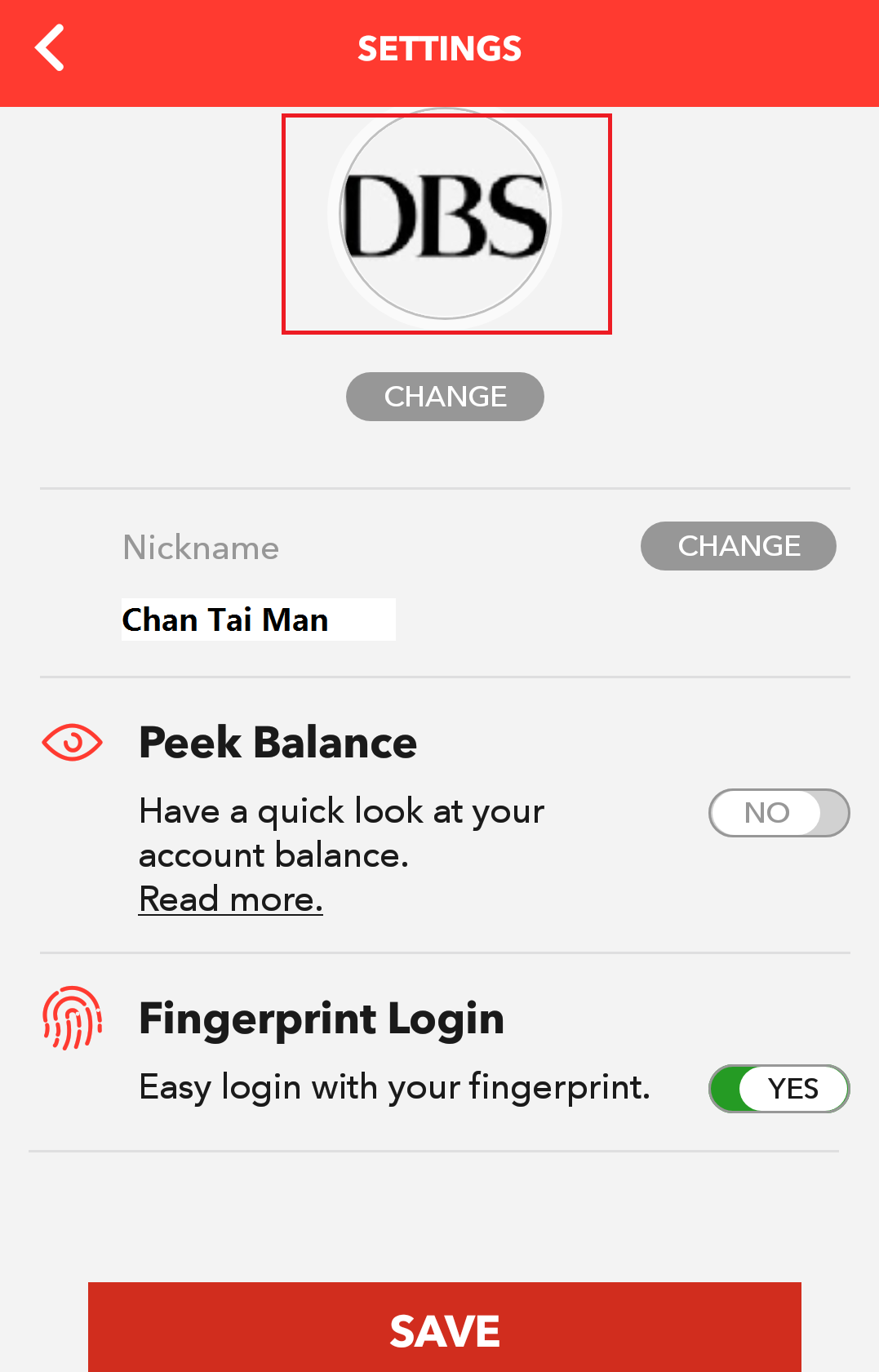
  • How to change your profile picture at DBS digibank HK?

How to change your profile picture at DBS digibank HK?

You may change your profile picture at DBS digibank HK with your existing photo or newly taken photo

To change your profile picture, please follow below steps:

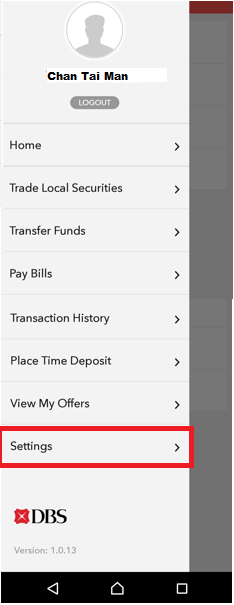
1.  Login DBS DBS digibank HK and choose “Settings” under “Main Menu"
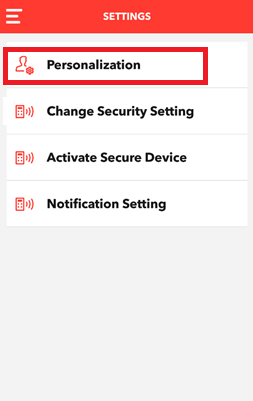
2.  Select “Personalization”
3.  Enter 6-digit OTP received on your mobile phone

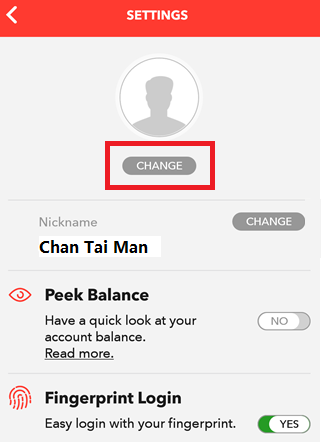
4.  Press “Change” to change your profile picture
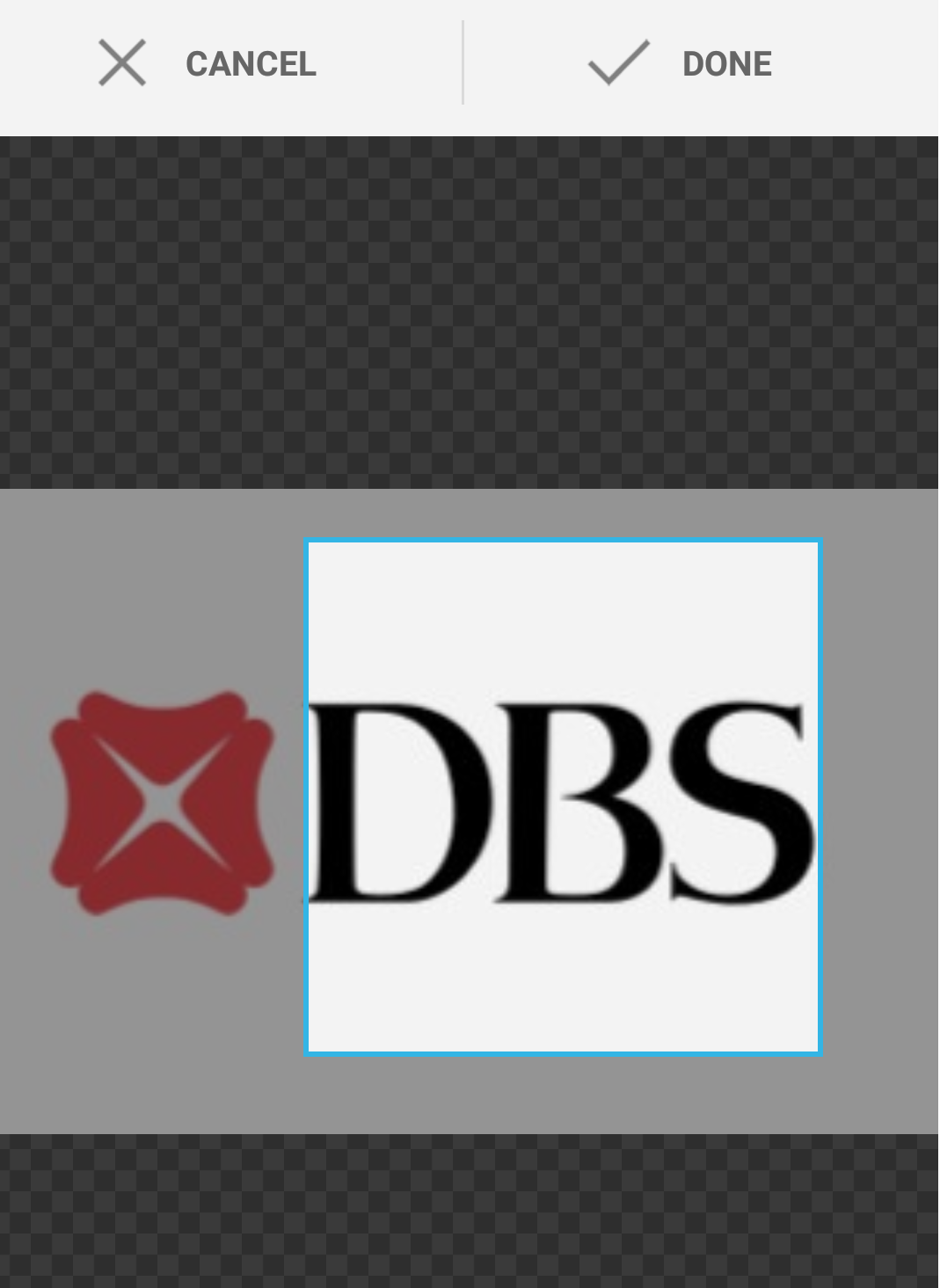
5.  Select your picture either from existing picture or taking a new picture

6.  Adjust your picture size and press “Done”
7.  Save your new profile picture with confirmation SMS
Related Information

  • How to personalize your DBS digibank HK account?
  • How to log in DBS digibank HK with fingerprint?
  • Add Payee through DBS digibank HK

We Welcome your Feedback

Information is easy to understand and find
Information is useful to answer your inquiries completely

Thank you for your feedback

Need more help?

Contact support and we'll try to resolve your issue quickly.

Contact Customer Support
About Us
  • What's New
  • Latest Promotions
  • Newsroom
  • Social Good
  • Careers in DBS Group
  • Data Policy
  • Other Policies
Back to Top
Quick Links
  • Rates and Fee Schedule
  • Survey
  • DBS HK Branches
  • DBS ATM Services
  • DBS ATM Overseas
  • Internet Banking
  • Mobile Banking
Others
  • All Latest Offers
  • Forms
  • Sitemap
  • Survey on DBS Website
Talk to our Staff
  • Contact Us
    • Sitemap|
    • Website Conditions of Use |
    • Data Policy|
    • ©DBS Bank (Hong Kong) Limited 星展銀行(香港)有限公司
    Social Media