You are in DBS Treasures
ATM & Branch
Help & Support
Popular Search
Join DBS Treasures,
Rewards,
My Treasures Reward,
Banking Privileges
Why Us
Invest
Insure
Bank
Accounts
Credit Cards
Borrow
Insights
International
ATM & Branch
Why Us
Invest
Insure
Bank
Insights
International
Created with Sketch.
Login
Popular Search
Join DBS Treasures,
Rewards,
My Treasures Reward,
Banking Privileges
Tutorials for Wealth Management Account (WMA)
Money transfer from Current or Savings Account to Wealth Management Account (WMA) before trading
Online Equity Trading (OET)
Online Fund Investment (OFI)
Online Foreign Exchange (OFX)
Online Equity Linked Investment (Online ELI)
Other Key Functions
eStatement
Tutorials for Wealth Management Account (WMA)
Money transfer from Current or Savings Account to Wealth Management Account (WMA) before trading
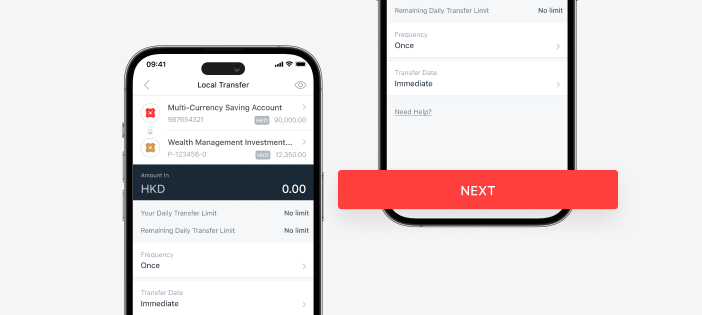
Transfer available cash to your WMA before placing any trade:
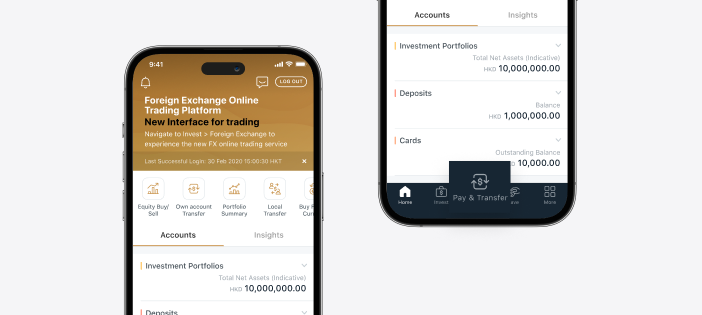
1. Log in to DBS digibank HK app and tap
<Pay & Transfer>
on the bottom menu
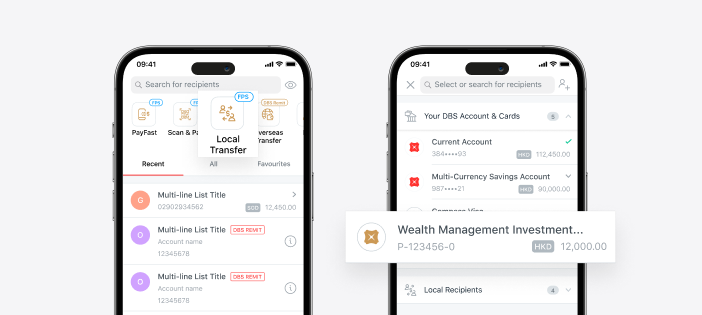
2. Tap
<Local Transfer>
and select “Wealth Management Investment” account from “Your DBS Accounts & Cards” dropdown list
3. Tap Input transfer details and tap
<NEXT>
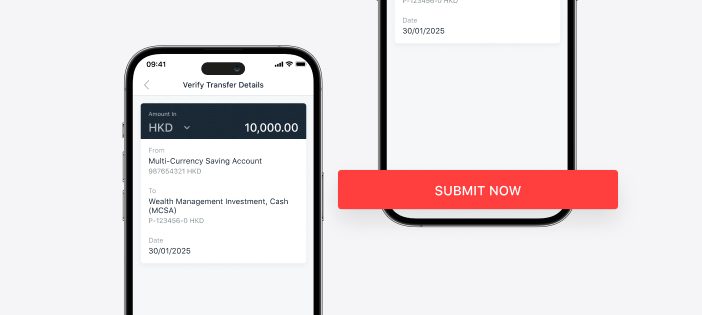
4. Tap
<SUBMIT NOW>
to submit the order after reviewing the transfer details
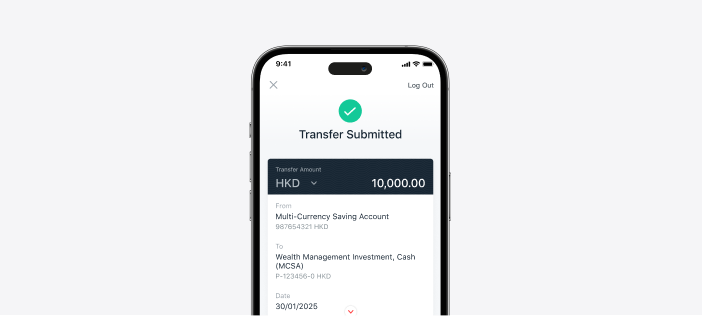
5. Your transfer request is successfully submitted
Created with Sketch.
Online Equity Trading (OET)
How to place order & view order status
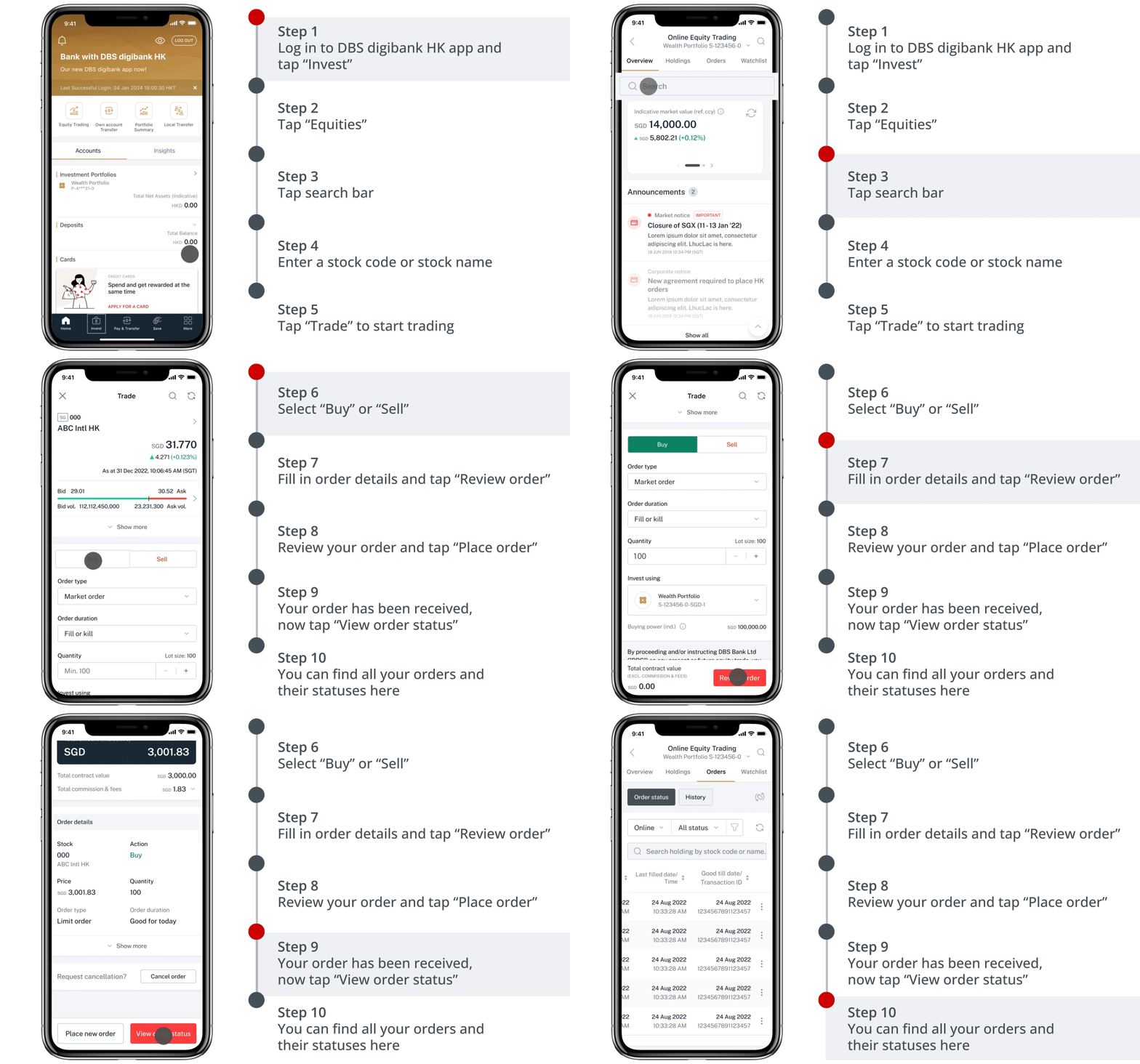
How to amend order
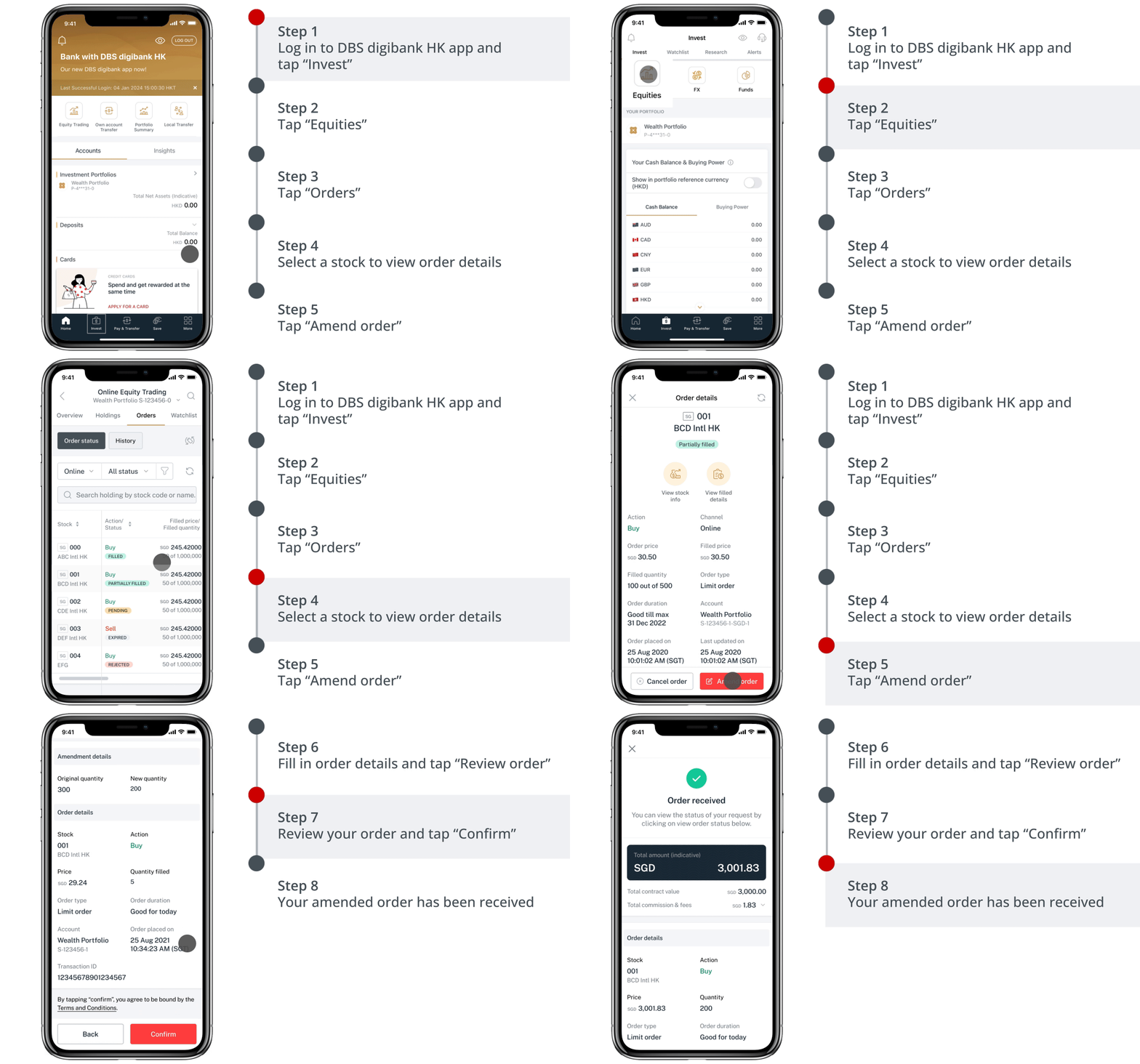
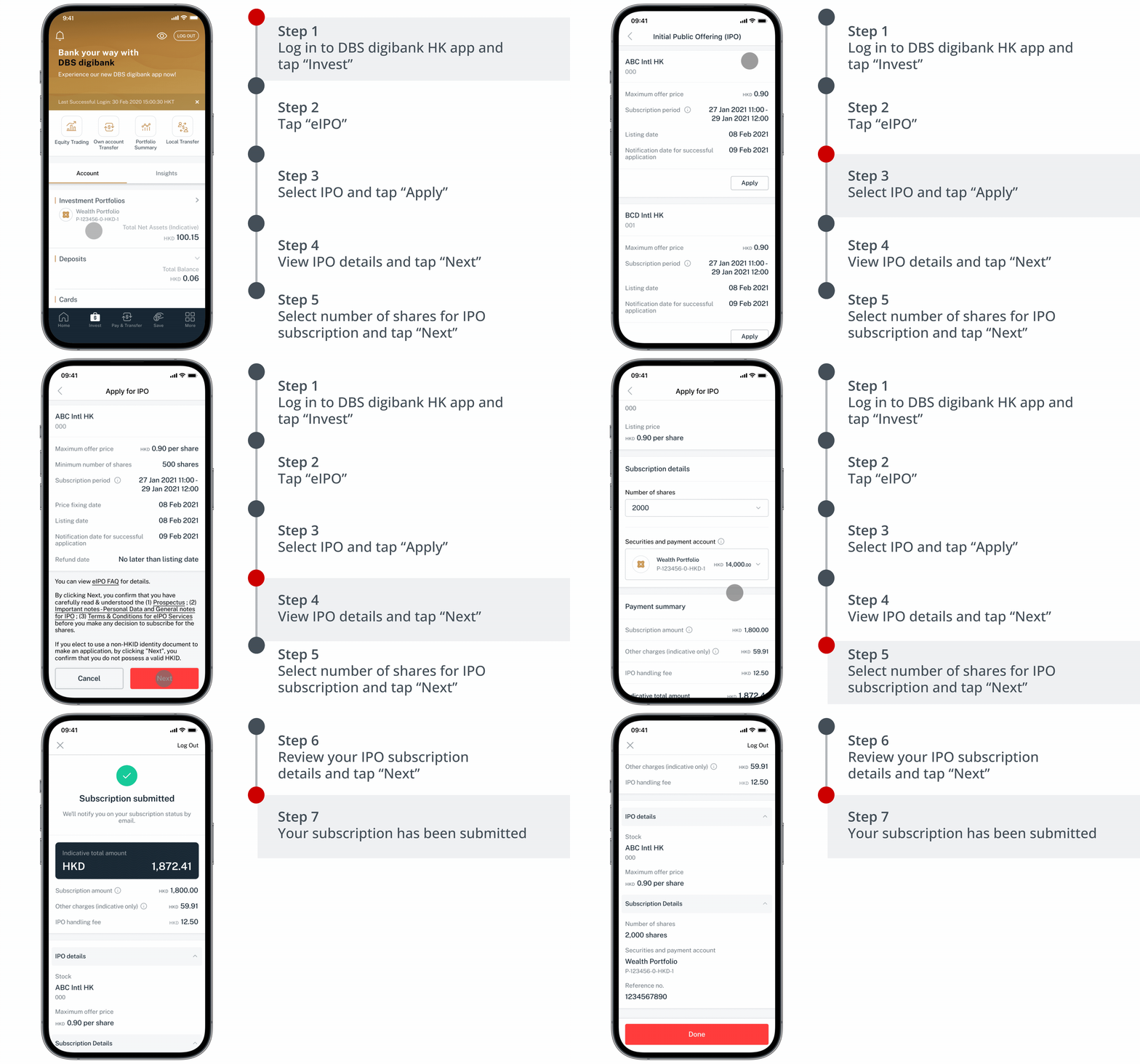
How to subscribe to Hong Kong Initial Public Offerings (IPOs)
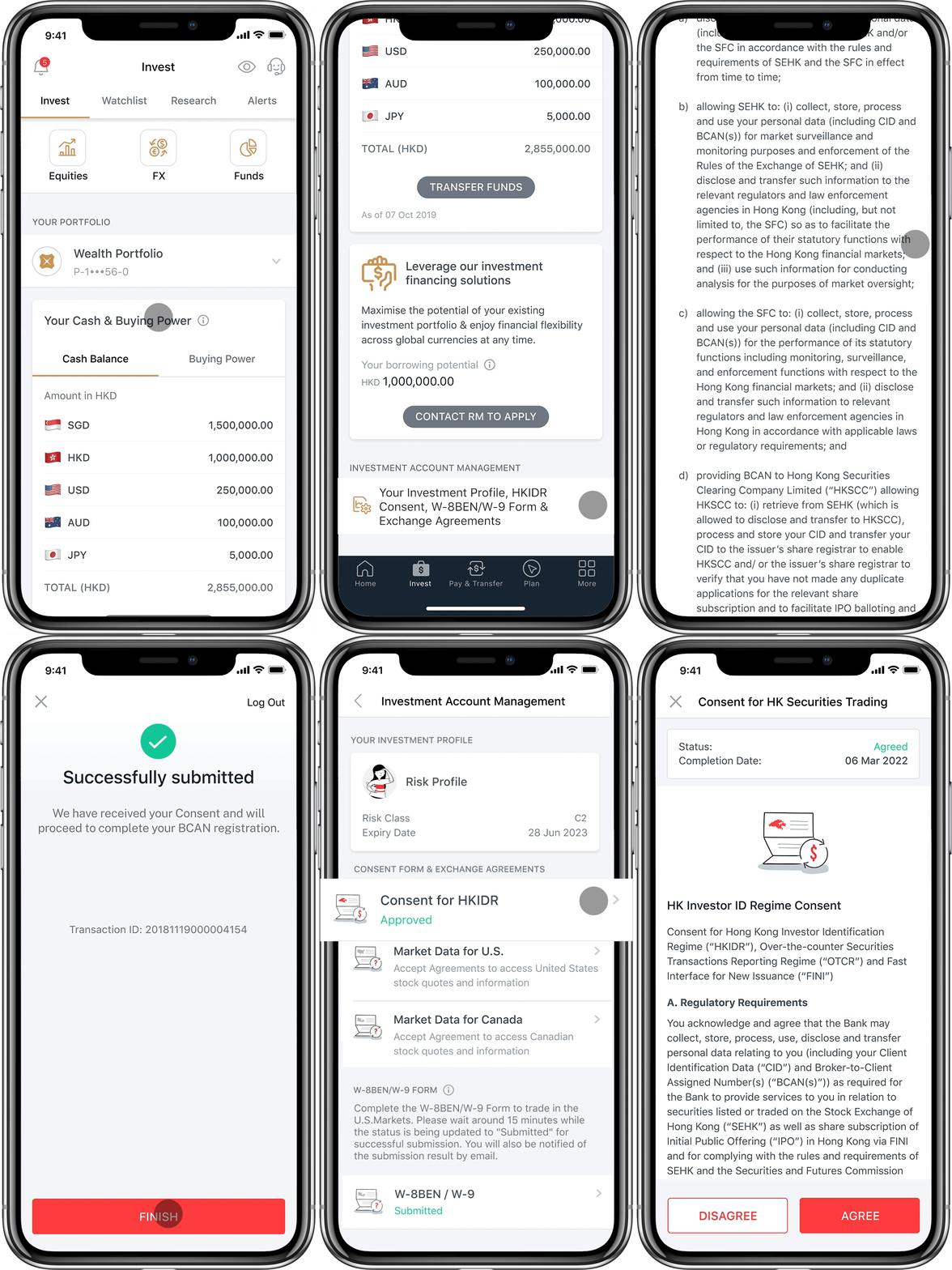
How to provide express consent for Hong Kong Securities Trading to enjoy related Hong Kong Securities Trading services (eW-8BEN)
Online Fund Investment (OFI)
How to subscribe funds (Lump-sum Subscription)
How to switch funds
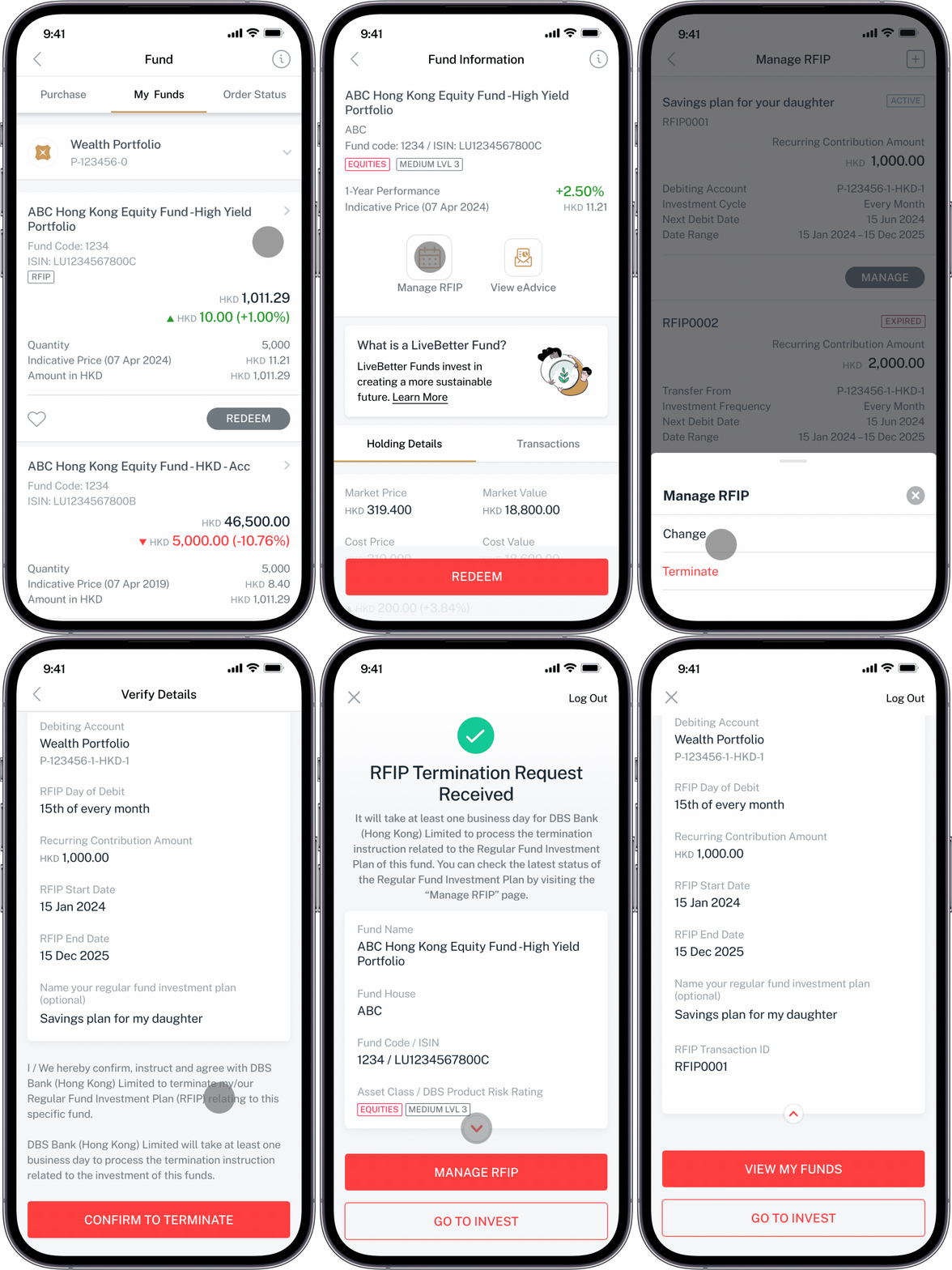
How to set-up RFIP (Regular Fund Investment Plan)
How to terminate RFIP (Regular Fund Investment Plan)
Online Foreign Exchange (OFX)
How to place FX market order
How to place FX order watch
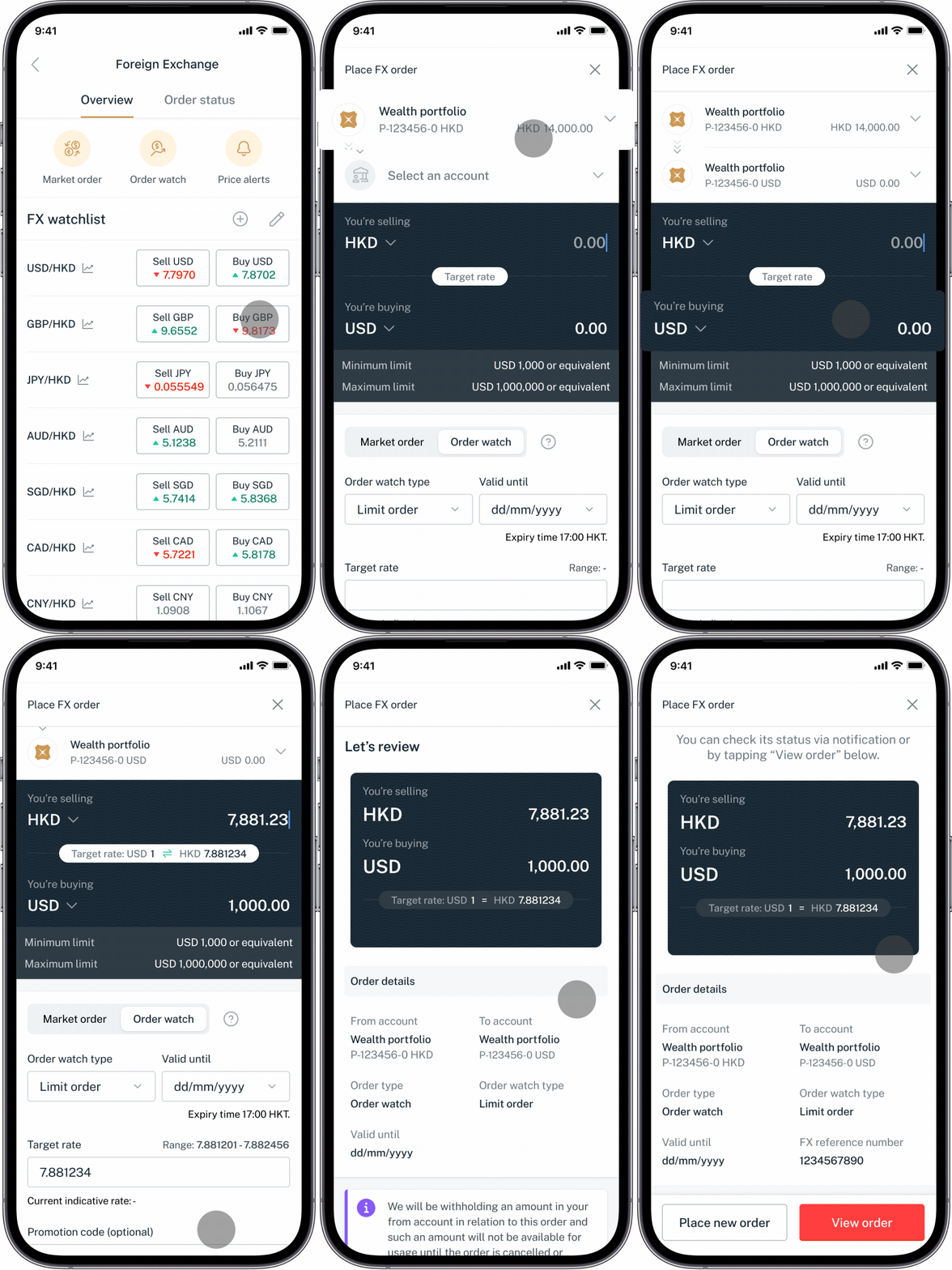
How to add new currency pair to my FX watchlist
Online Equity Linked Investment (Online ELI)
How to place order and view order status
Other Key Functions
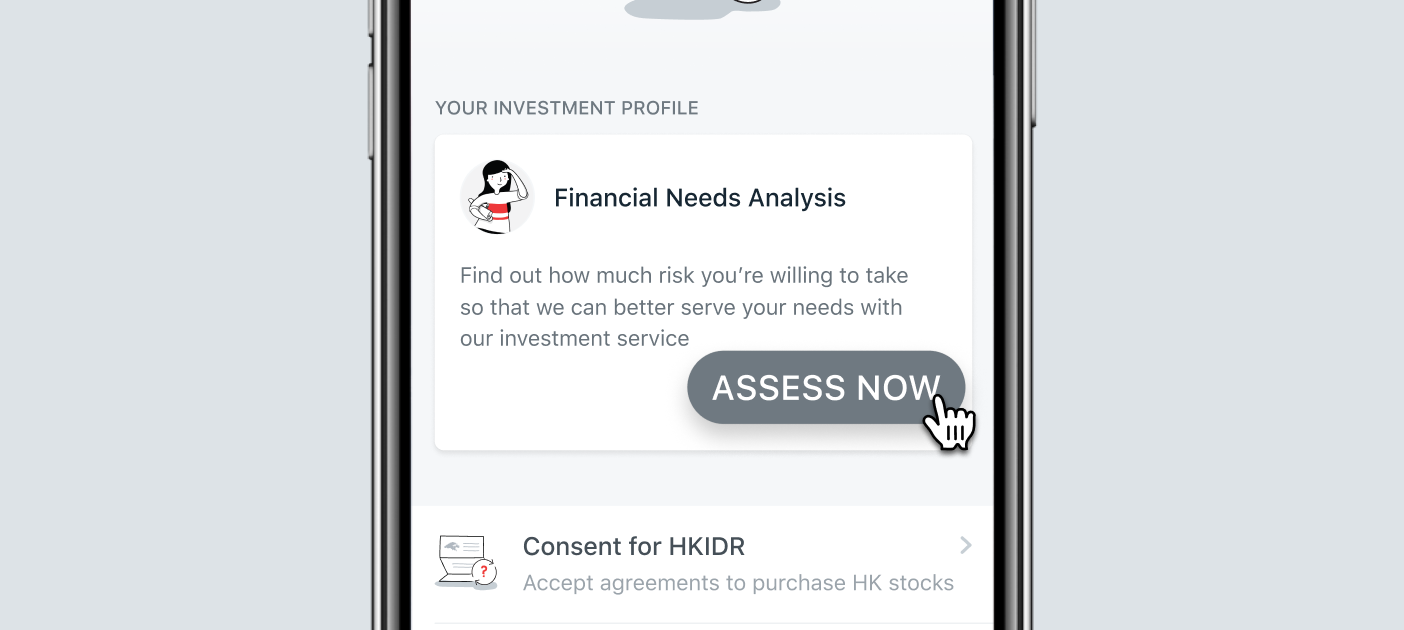
Financial Need Analysis (FNA)
For Wealth Management Account users:
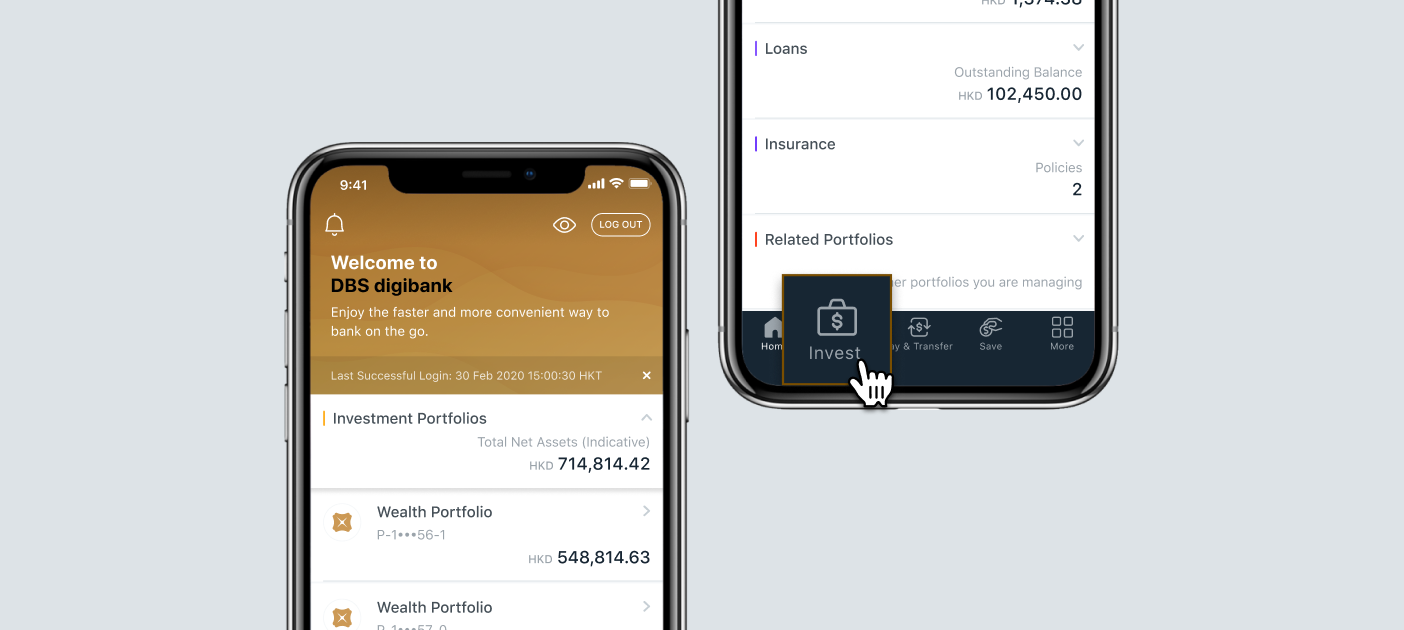
1. Log in to DBS digibank HK app and tap
<Invest>
on the bottom menu
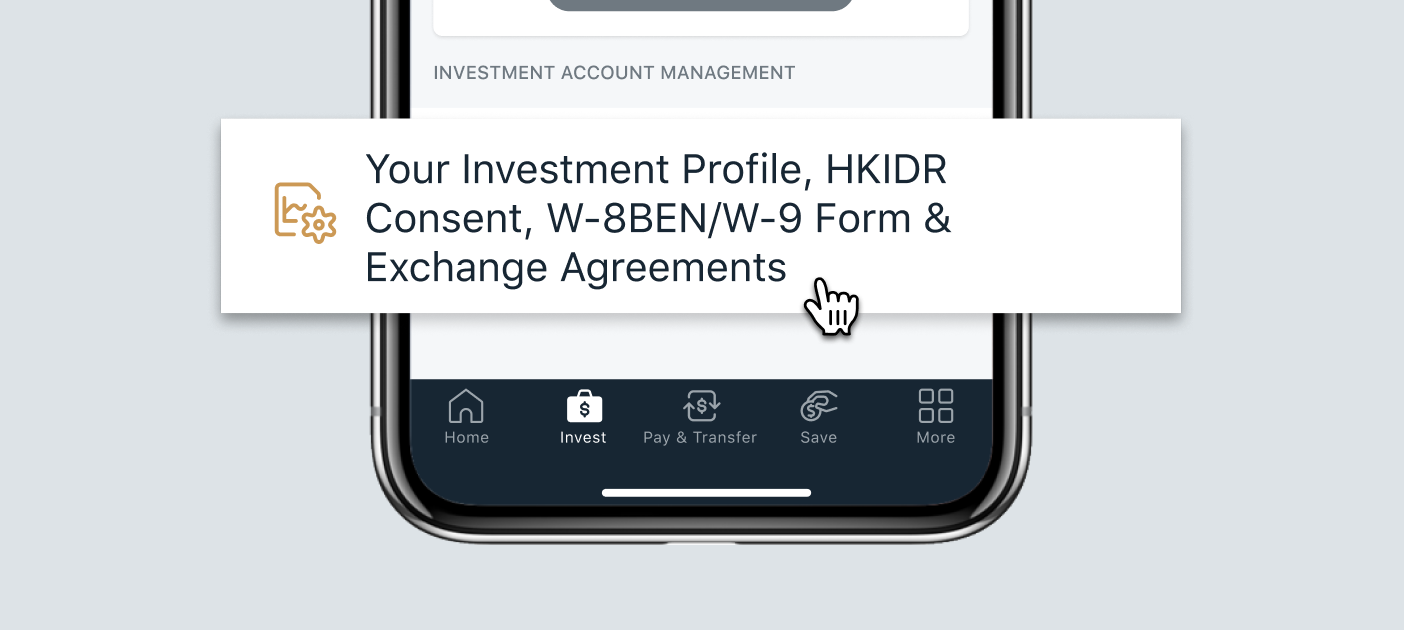
2. Scroll to the bottom of the page and access
<Investment Account Management>
3. Tap
<ASSESS NOW>
if you are submitting Financial Needs Analysis for the first time, or tap
<UPDATE>
to renew your assessment.
4. Tap
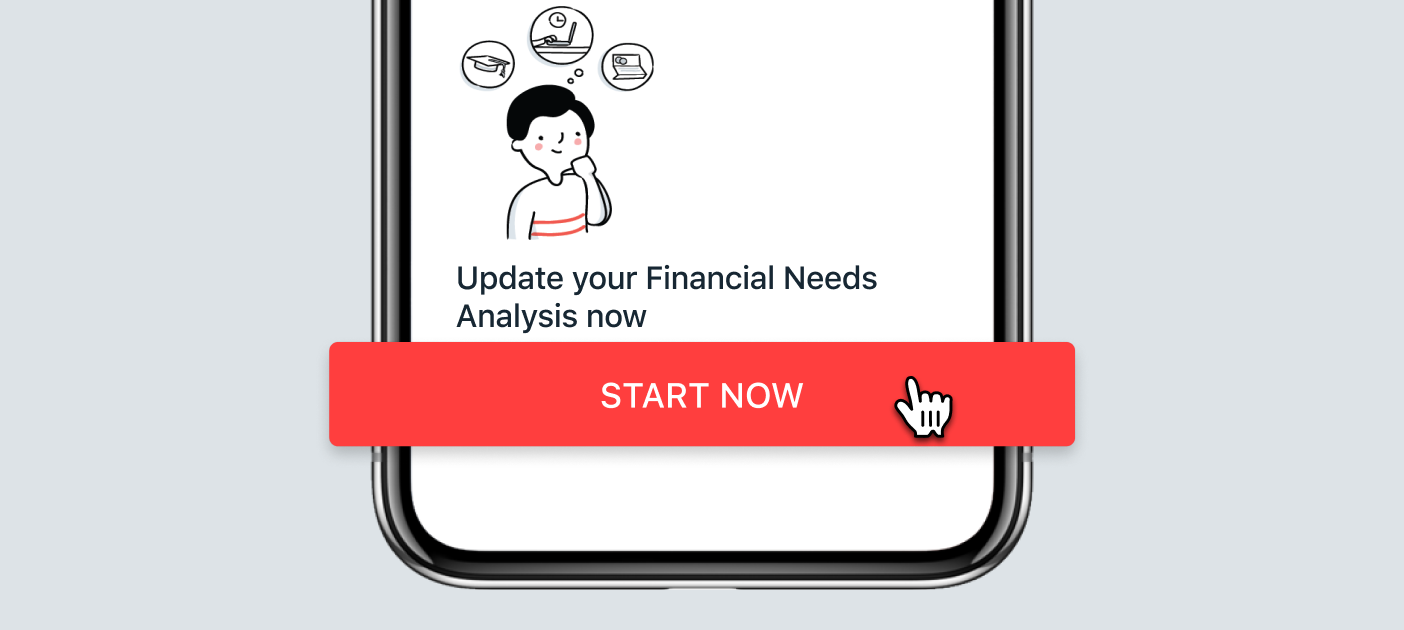
<START NOW>
to start your Financial Needs Analysis
Created with Sketch.
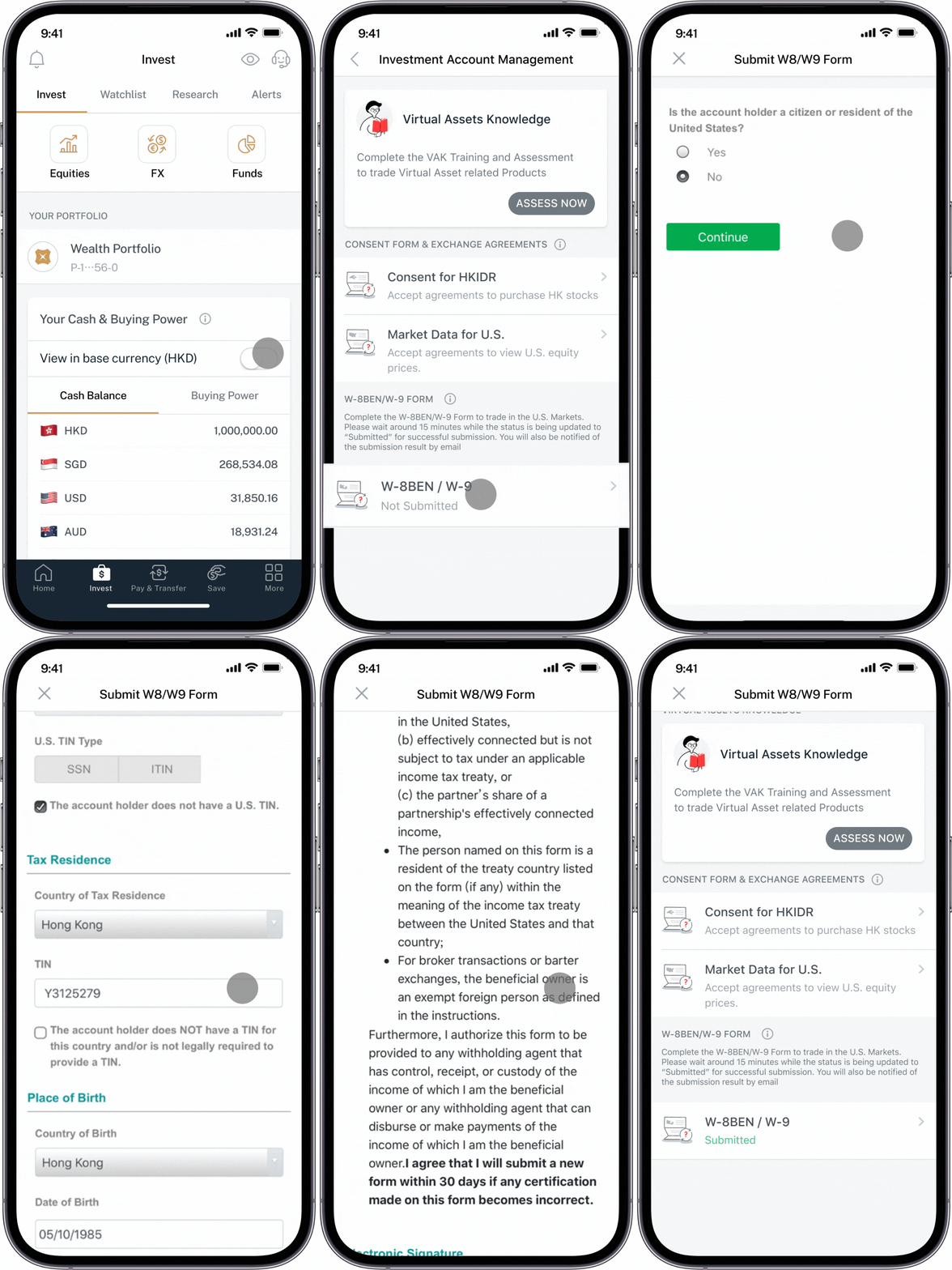
How to submit form W-8BEN/W-9 to trade in the U.S. market
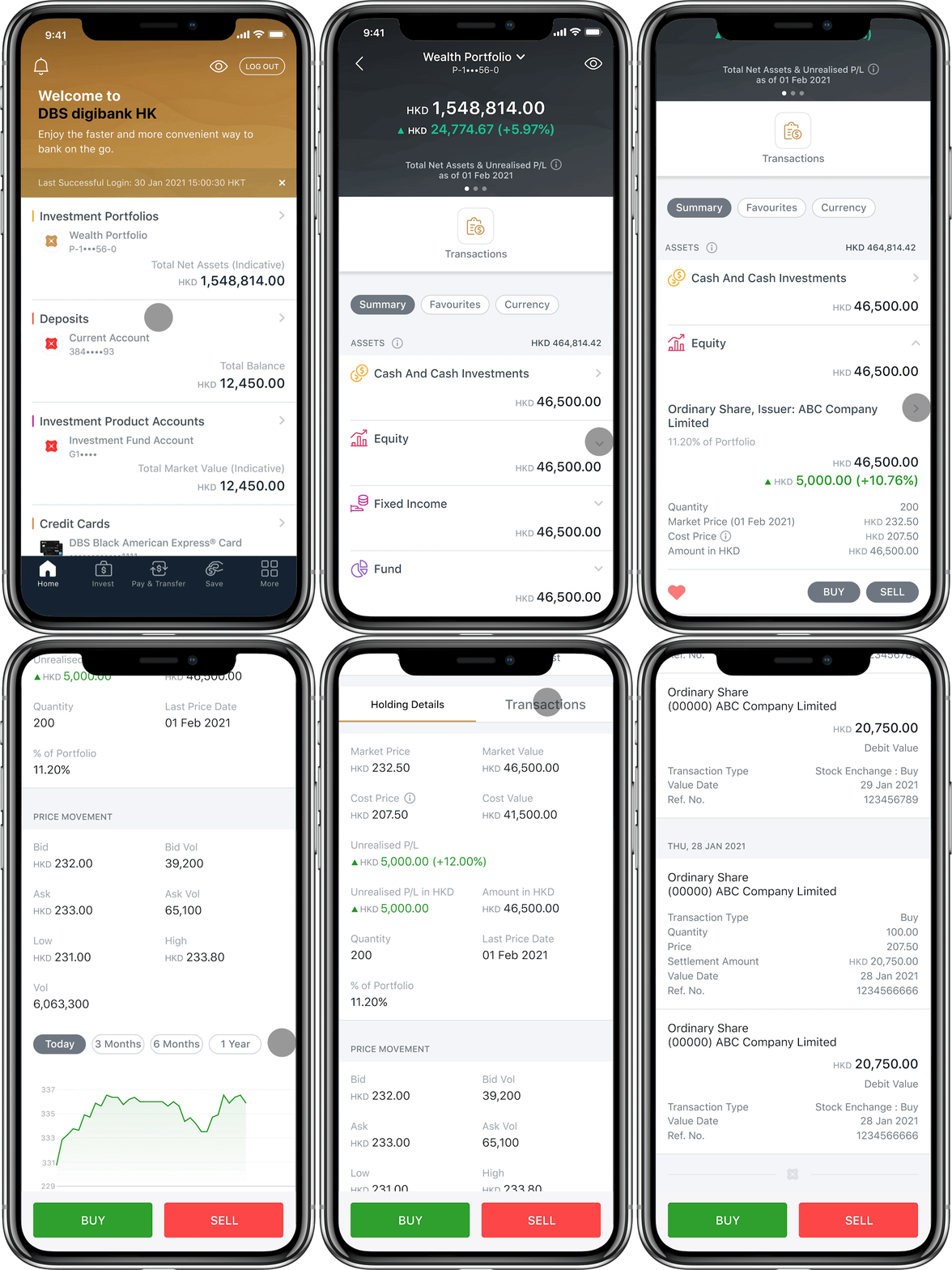
How to view your holdings
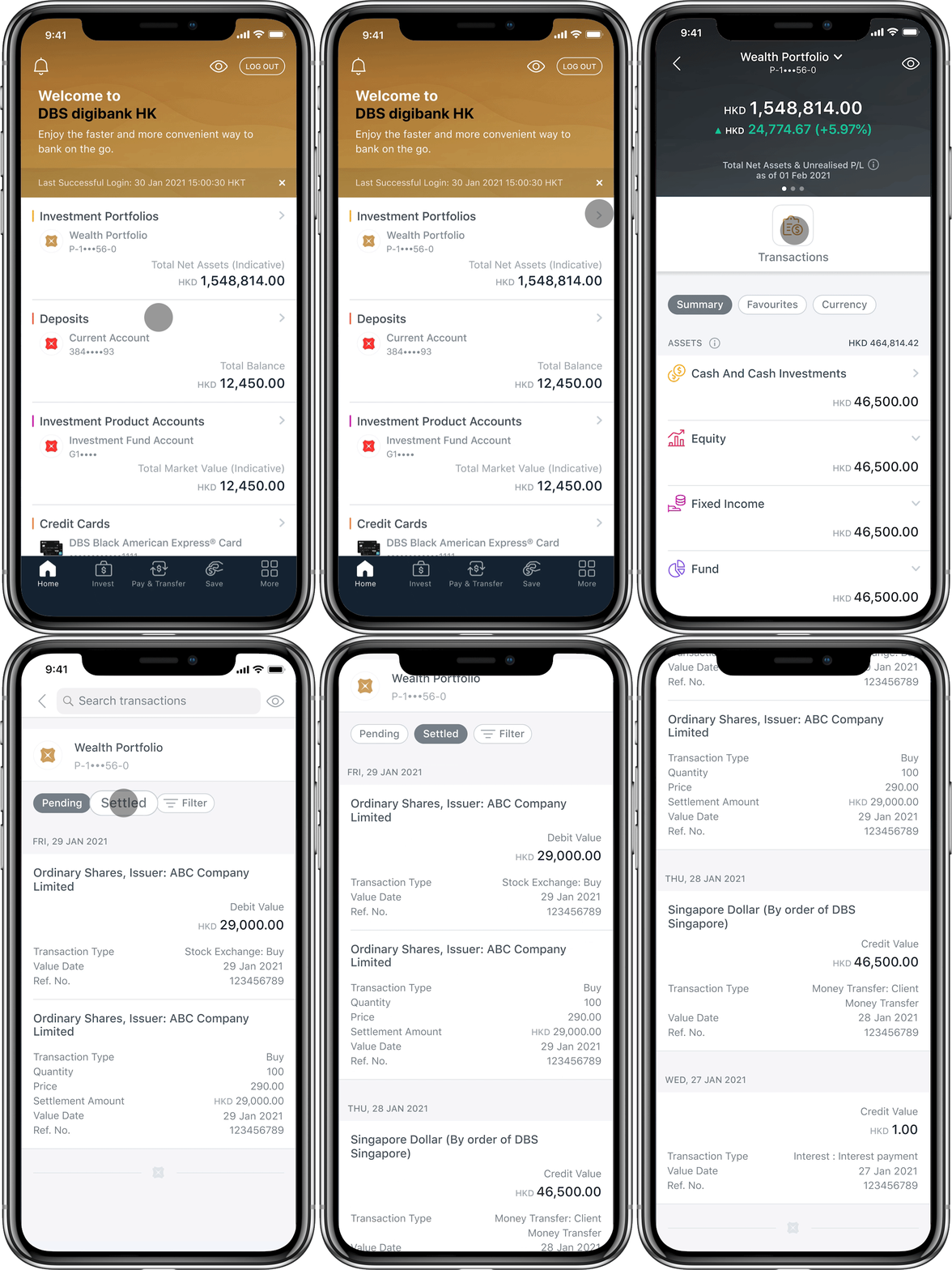
How to view your portfolio transactions
eStatement
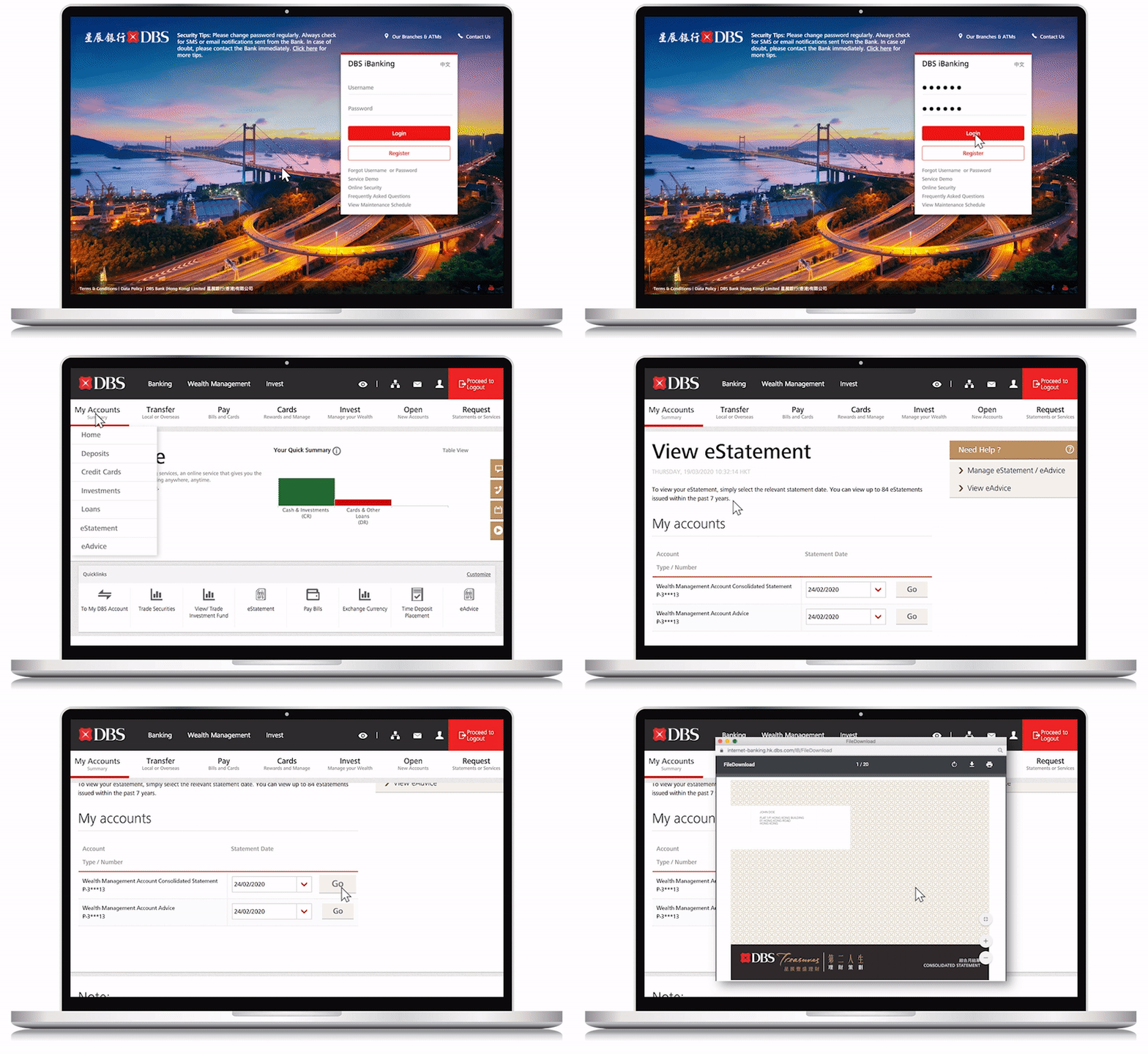
How to subscribe for eStatements
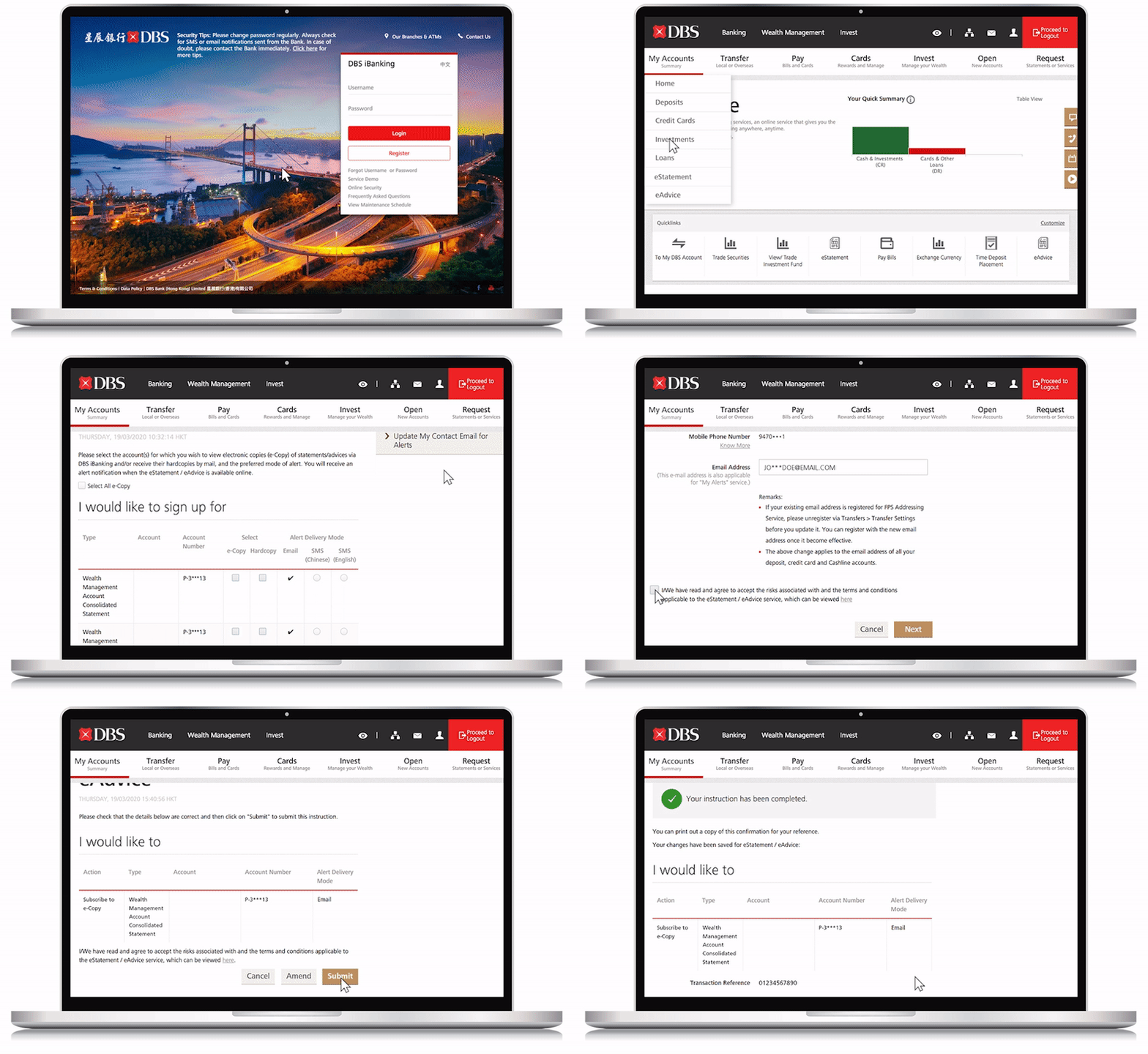
How to view and download eStatement on DBS digibank HK
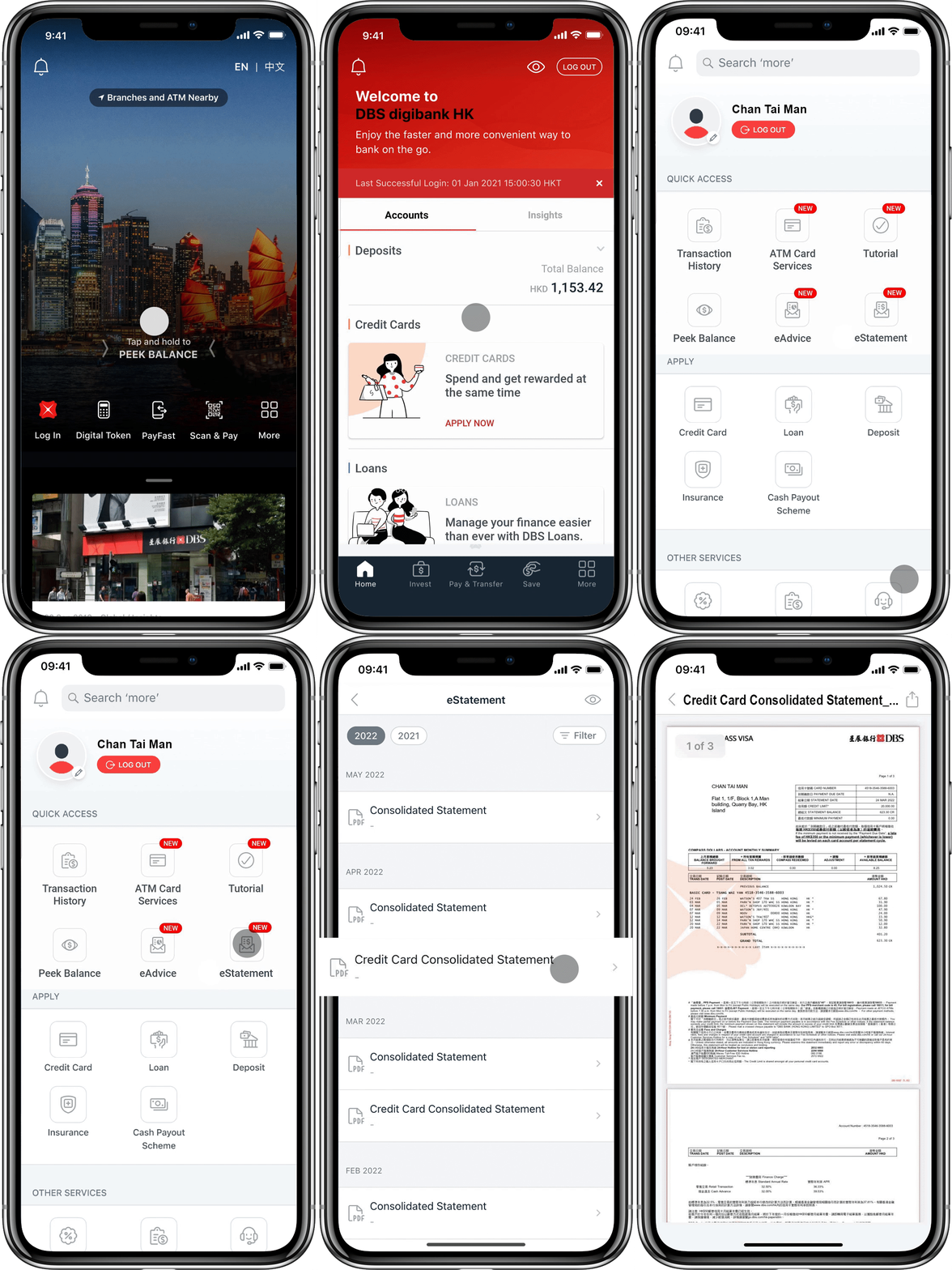
How to view and download eStatement on DBS iBanking
Useful Links
Latest Investments Offers
Exchange Rate
Financial Needs Analysis
Rates and Fee Schedule
Important Documents
Investment Products Consolidated Terms & Conditions
Wealth Management Accounts Terms & Conditions
Disclaimer
Market Update and Tools
New Fund Spotlight
Fund Analytical Tools
Stock Quote
Investment Fund Shareholders Notices
Talk to our Staff
24-hour Hotline:
(852) 2961 2338
Or let us
contact you
Other hotlines
Others
Compliment Us
Feedback Form
Video training on General Knowledge of Derivatives
IPO Shares Subscription Service
IPO Allotment Result
Investment Help & Support
Need help?
Ways to get our
Help & Support
Markets
Hong Kong
EN
繁
Singapore
India
Indonesia
Mainland China
Taiwan
Hong Kong
EN
繁
Web Conditions of Use
Data Policy
Vulnerability Disclosure Policy
©Copyright. DBS Bank (Hong Kong) Limited 星展銀行 (香港) 有限公司