
Trade Settlement | DBS IDEAL PowerUp
- Home
- IDEAL PowerUp
- Trade Settlement | DBS IDEAL PowerUp
Trade Settlement
- Home
- IDEAL PowerUp
- Trade Settlement | DBS IDEAL PowerUp
Trade Settlement
Scan QR

How to Process Trade Settlements
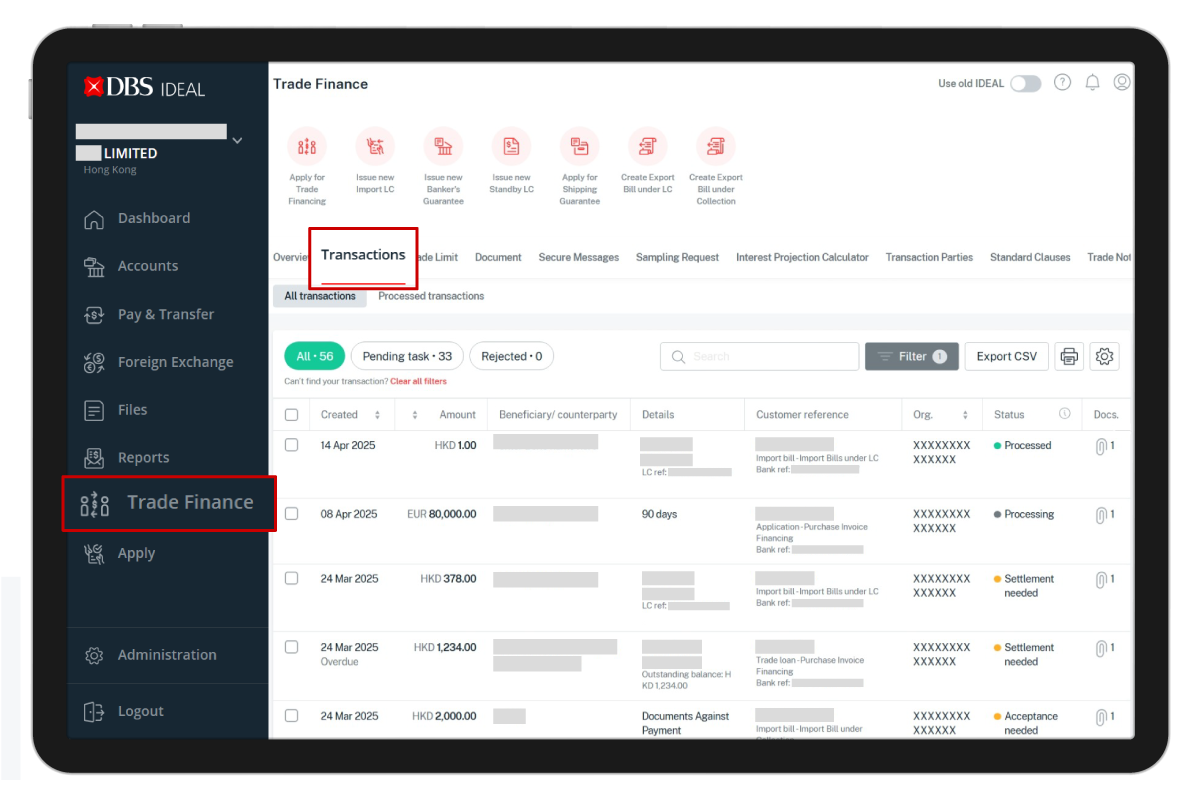
Go to the main menu and select Finance > Transactions
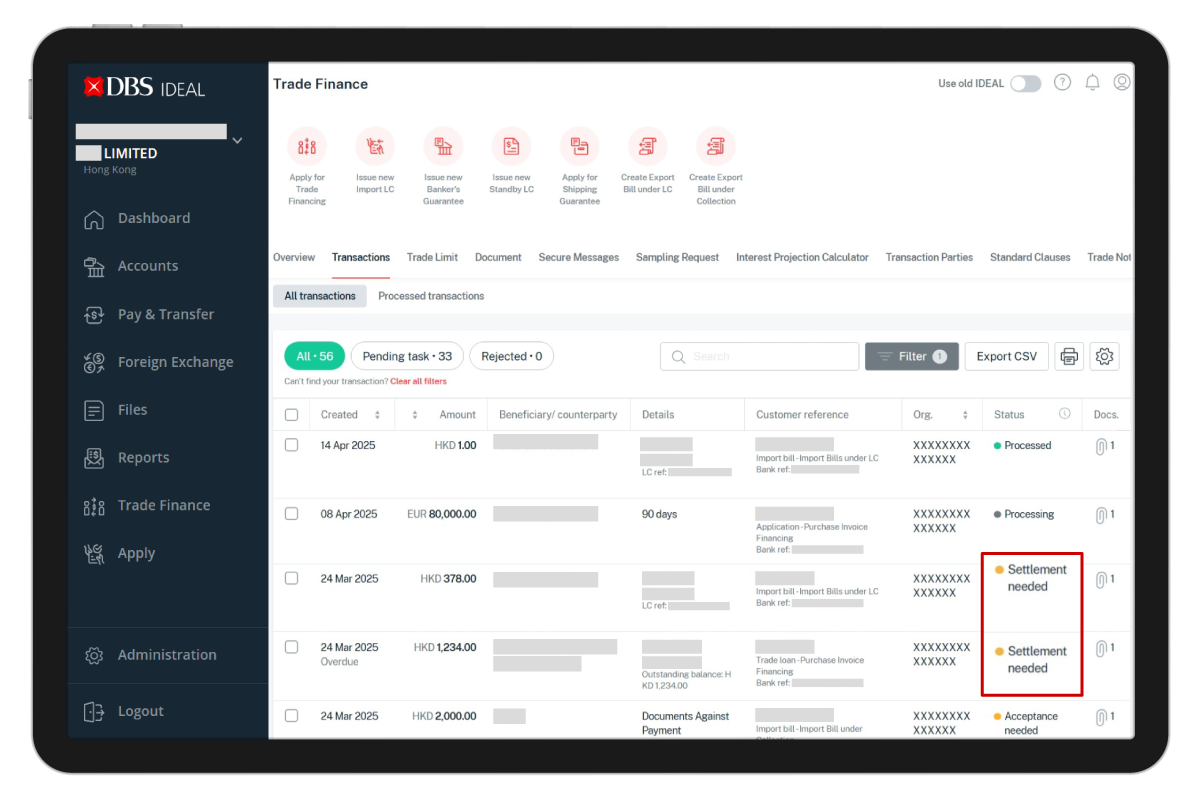
In the Status column, find and select the loan item labelled "Settlement Needed”. Click directly on the item.
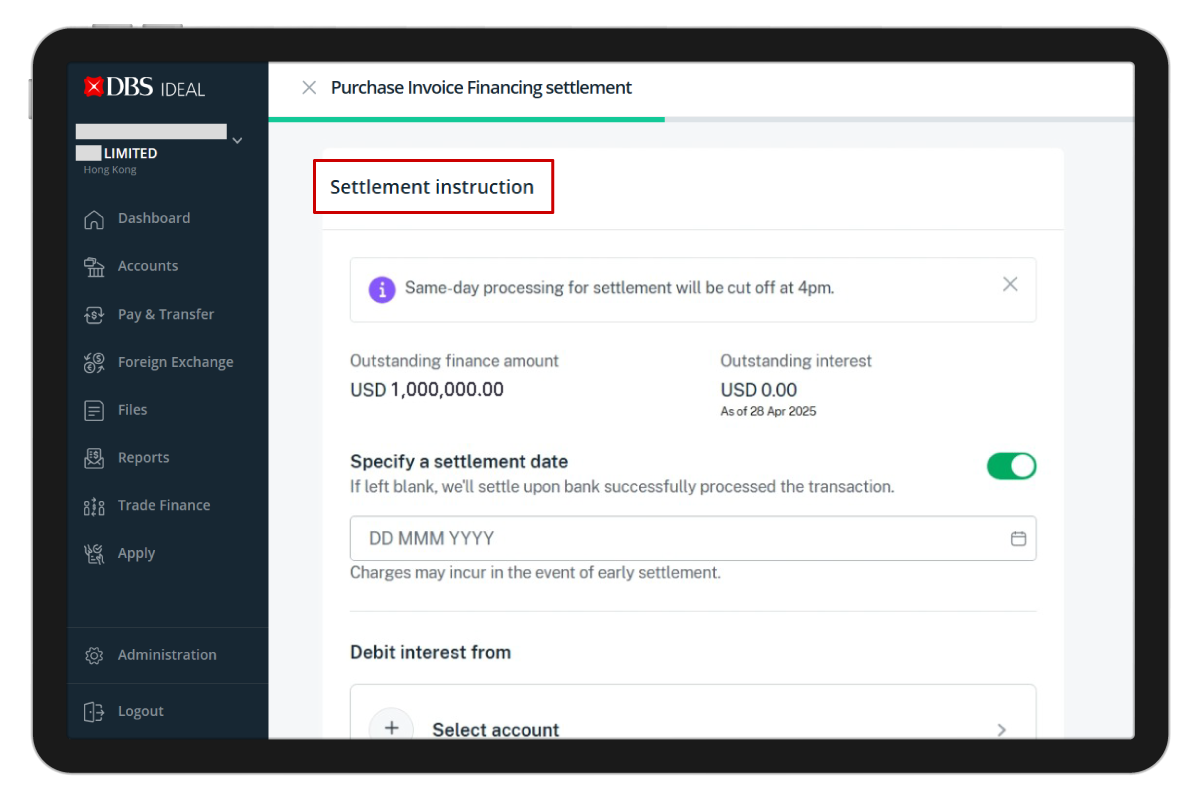
Scroll down the page until you reach the section “Settlement Instruction”.
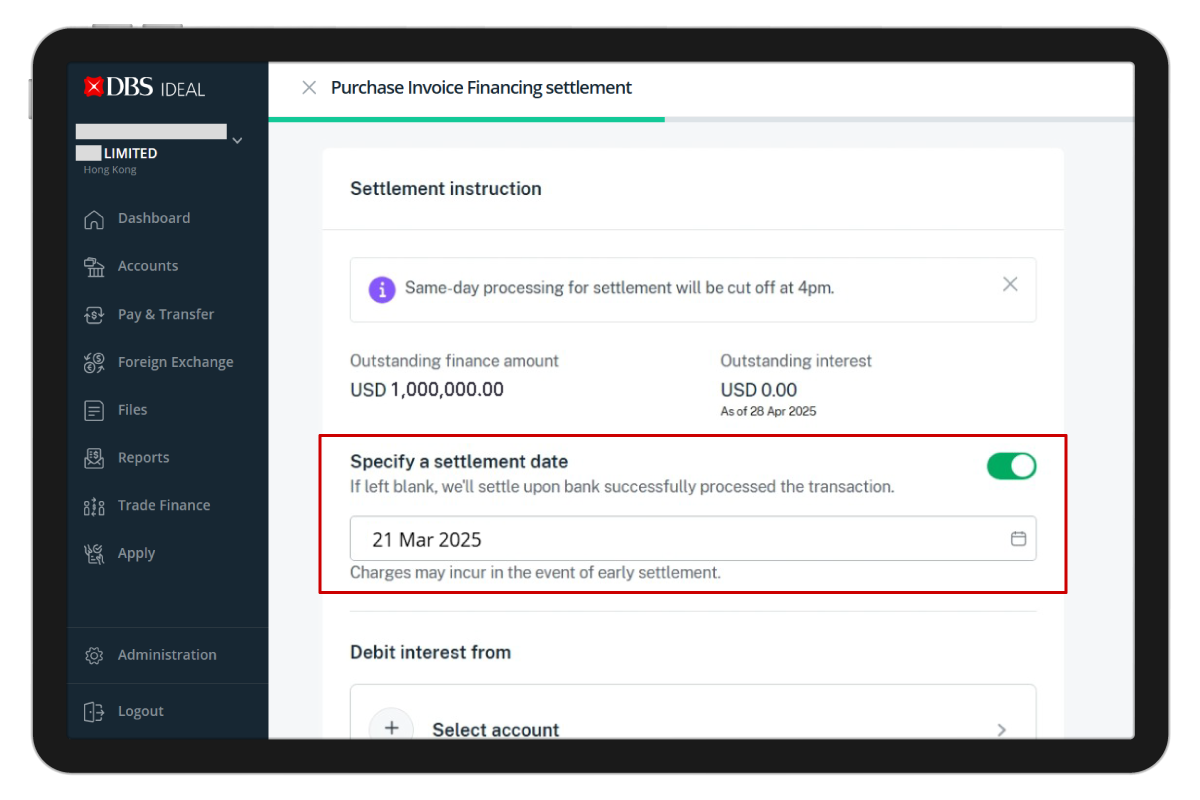
Specify a settlement date.
1. If you want to place a post-date settlement, please turn the toggle button 'on' to select your preferred date.
1. If you want to place a post-date settlement, please turn the toggle button 'on' to select your preferred date.
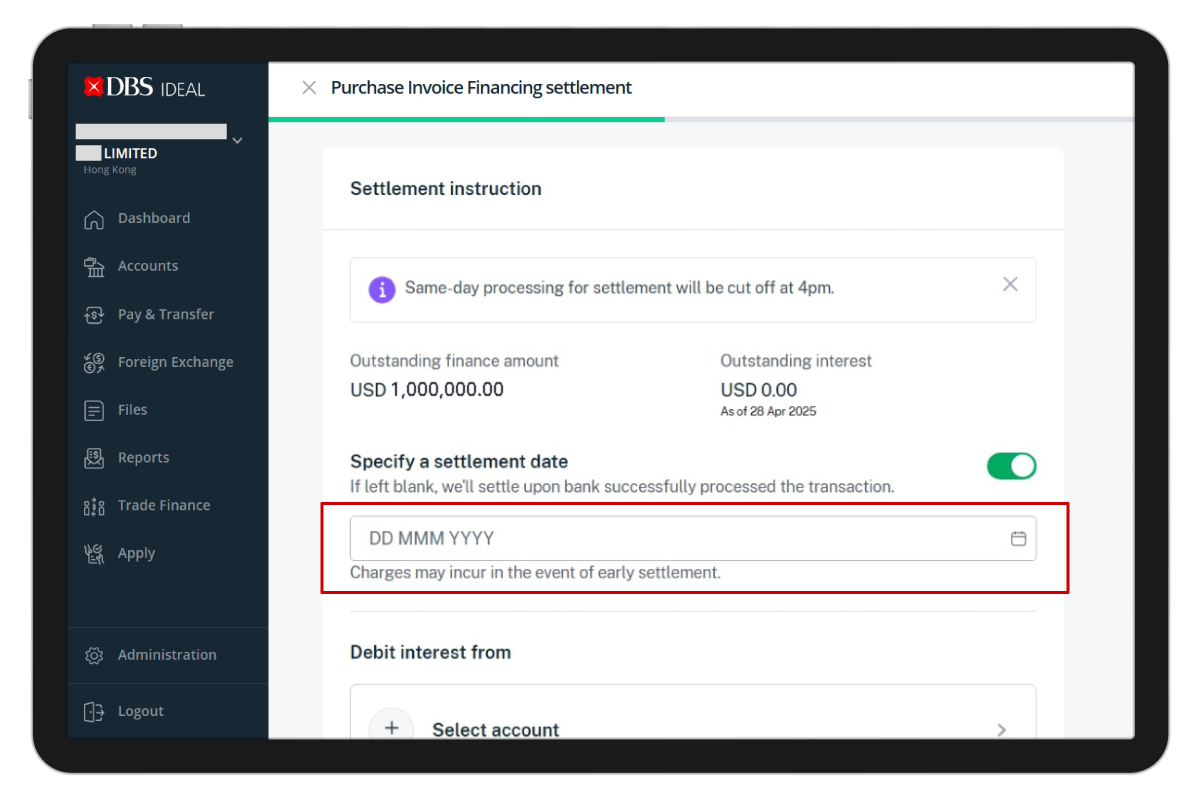
Specify a settlement date.
2. If this section is left blank, it will be handled as same-day processing for settlement.
2. If this section is left blank, it will be handled as same-day processing for settlement.
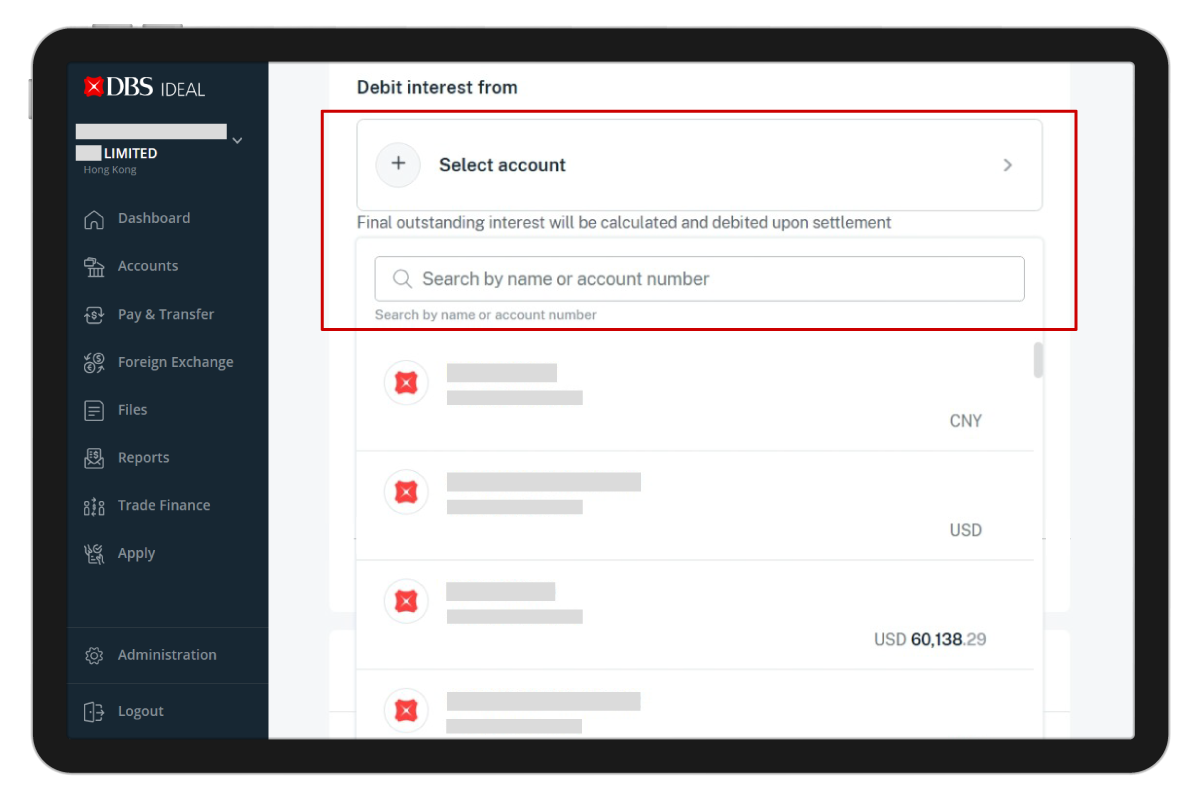
Select the account to debit interest from. You can search by name or account number in the search bar.
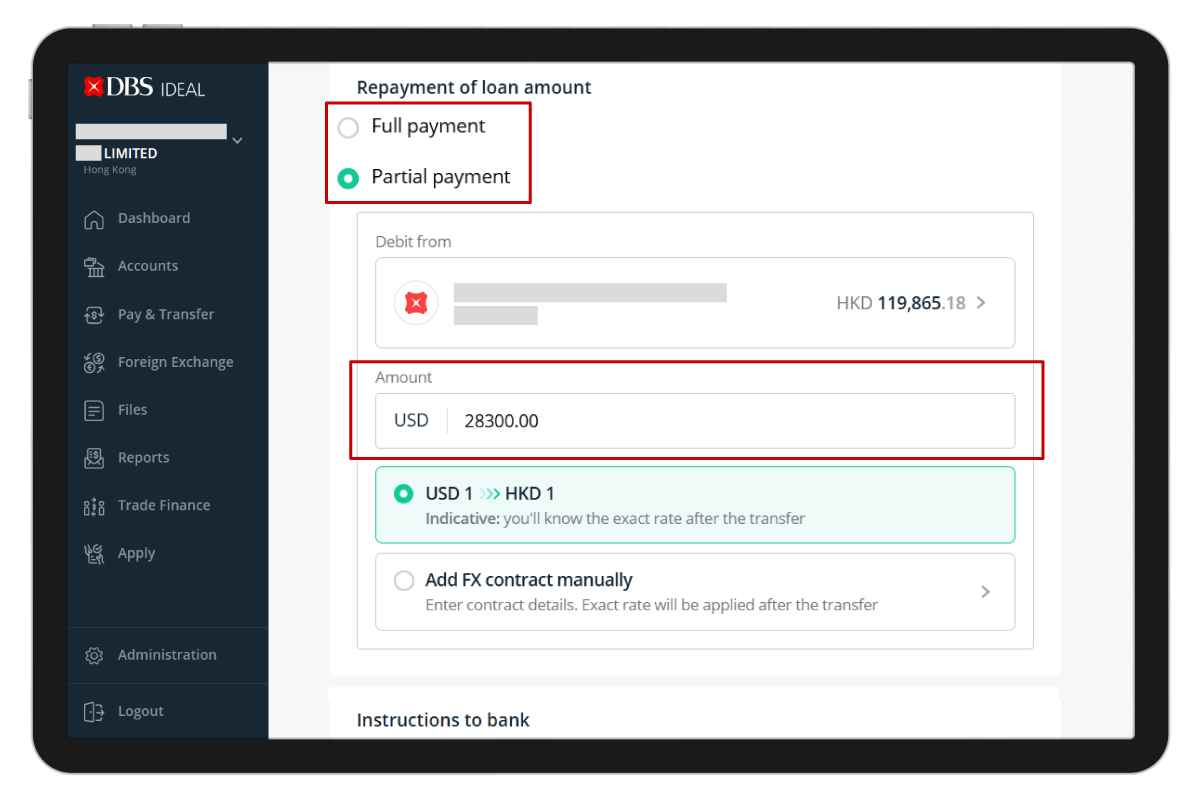
Under “Repayment of loan amount”, choose whether you want to make your settlement as a Full payment or Partial payment.
If you select Partial payment, enter the exact amount you want to pay.
If you select Partial payment, enter the exact amount you want to pay.
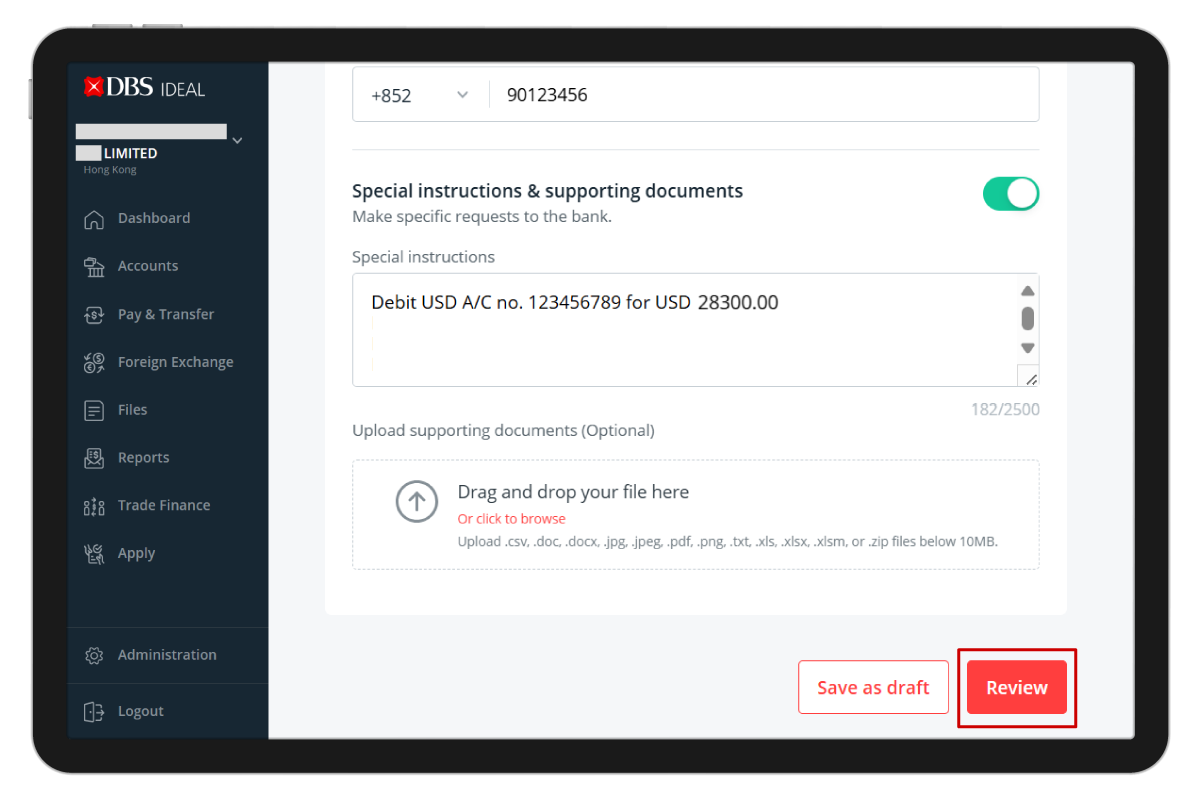
Click “Review” to review the settlement instruction. If you need to revise the instruction, click “Edit. If the instruction is correct, click “Submit” for the authoriser to approve.
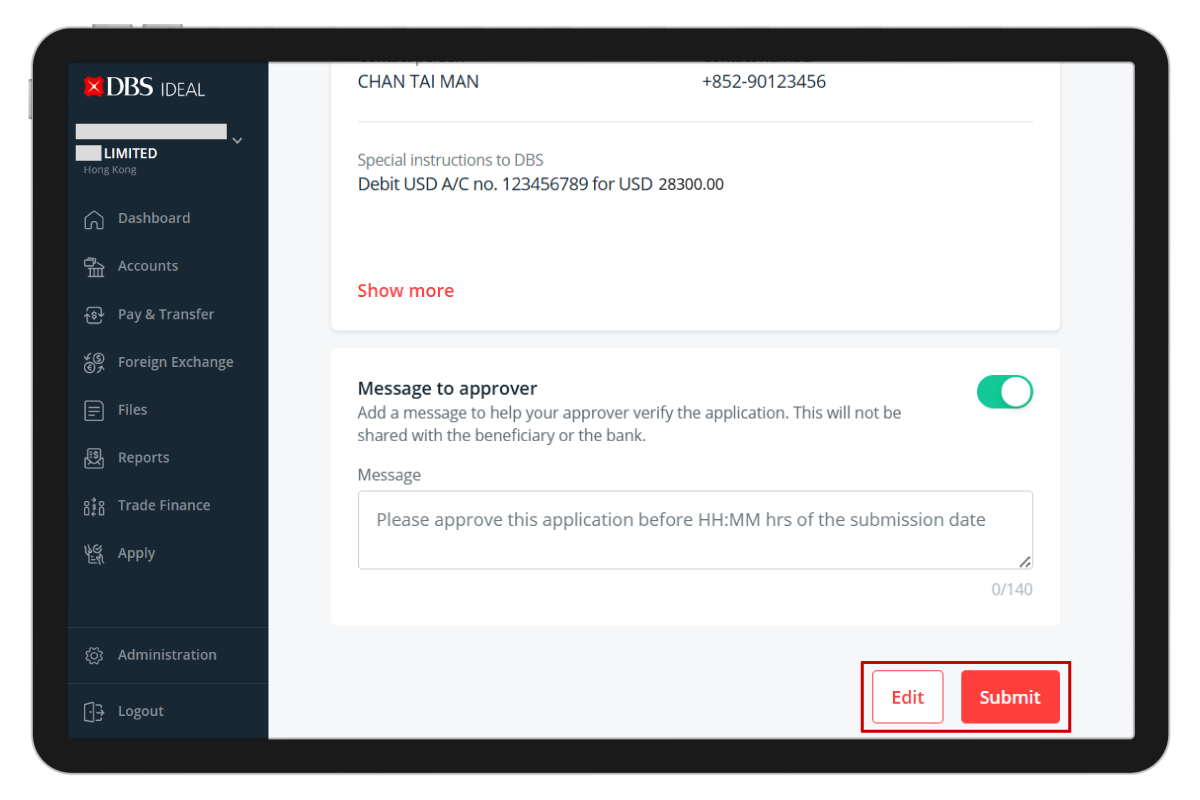
Remarks:
- Under “Instructions to bank”, check that your contact information is correct. Amend if necessary.
- If the settlement instruction is complex, please provide full details of the instruction, including specifying an account for bank charges or uploading any supporting documents.
