Set up your Digital Token

Important notes for Digital Identity Verification (eIDV):
To further protect your account against rising SMS One Time Password scams and comply with Hong Kong Monetary Authority’s security requirements, customers with HKID in our record will have to complete Digital Identity Verification (eIDV) to set up their digital token. This simple process includes scanning your HKID and taking a selfie. Click here for more information.
How to set up your Digital Token
Step 1: Download and log in to DBS digibank HK




Google Play™ is a service mark of Google Inc.
Huawei AppGallery is provided by Huawei Services (Hong Kong) Co., Limited. HUAWEI EXPLORE IT ON AppGallery and the HUAWEI EXPLORE IT ON AppGallery logo are the registered trademarks of Huawei Technologies Co., Limited.
Step 2: Follow the steps on the screen to set up your Digital Token

Verification (eIDV)
(OTP)

Digital Identity Verification (eIDV)
eIDV is mandatory when registering a digital token, if you are holding a HKID in the Bank’s record.
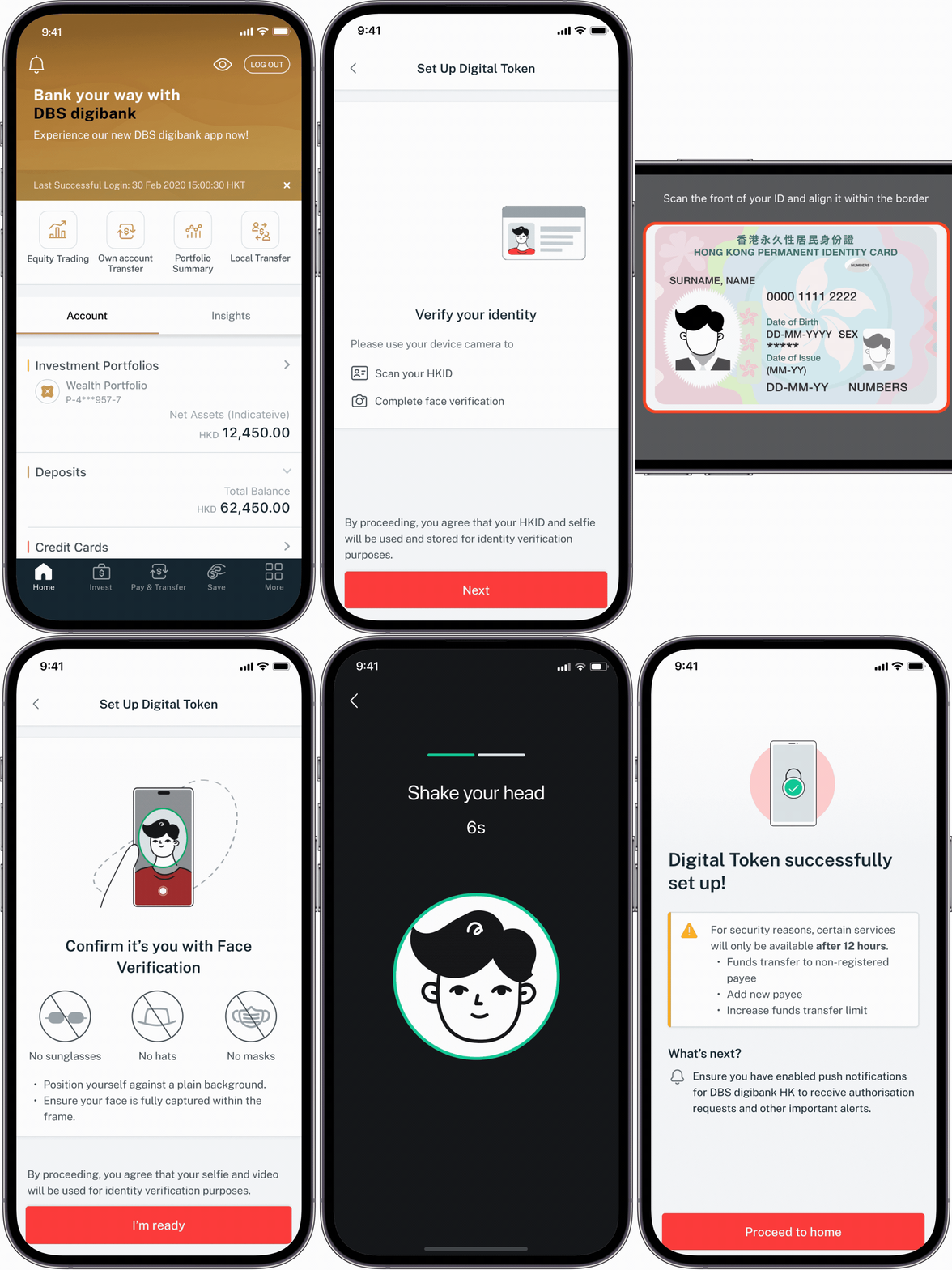
-
Step 1Prepare your HKID and ensure you are in a bright and clear environment
-
Step 2Tap ‘More’ and select ‘Manage Digital Token’
-
Step 3Click ‘Set Up Now’
-
Step 4Scan your HKID until the frame turns green
-
Step 5Take the selfie in a plain and clean background
How to set up Digital Token by Digital Identity Verification (eIDV)
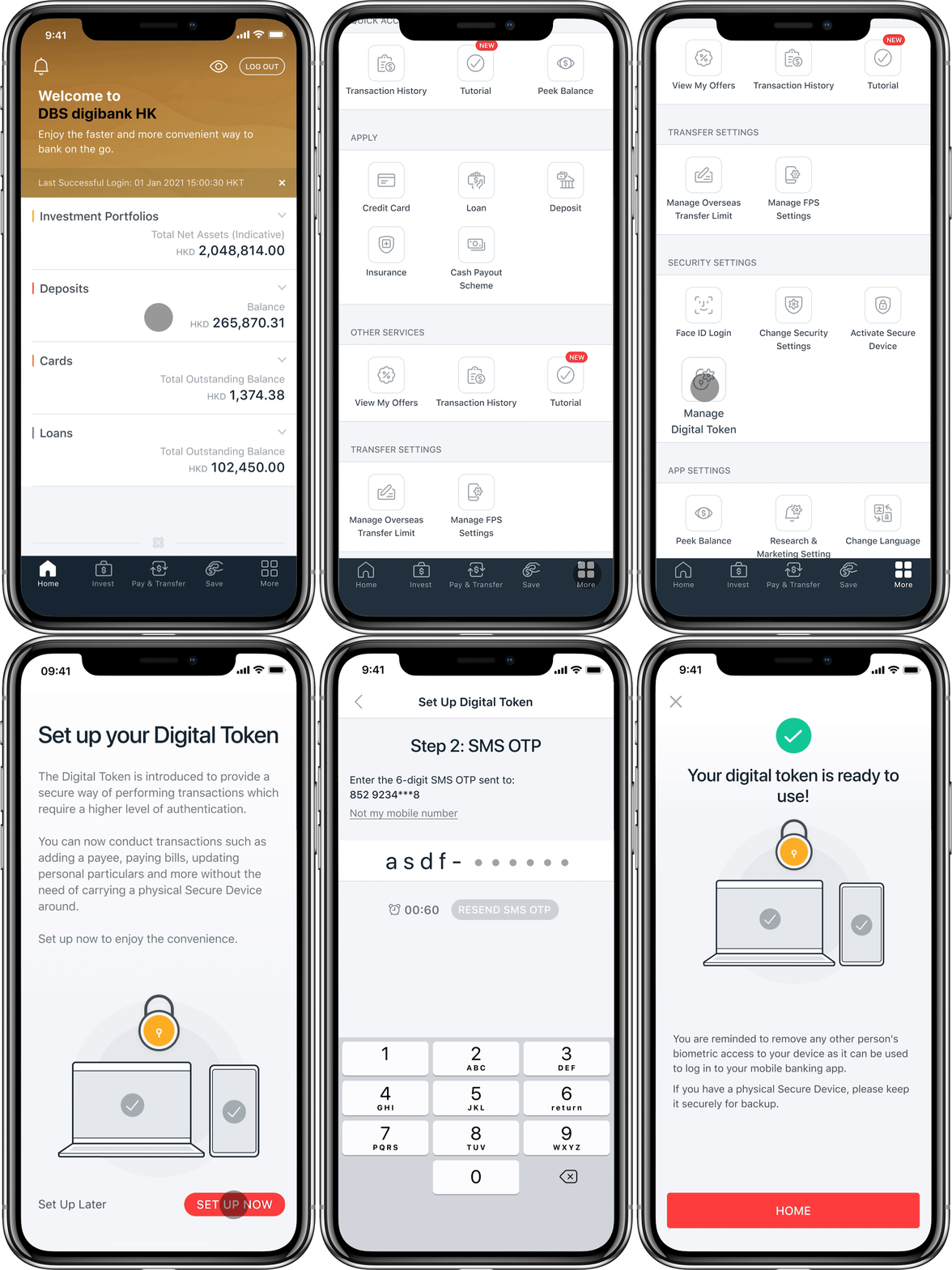
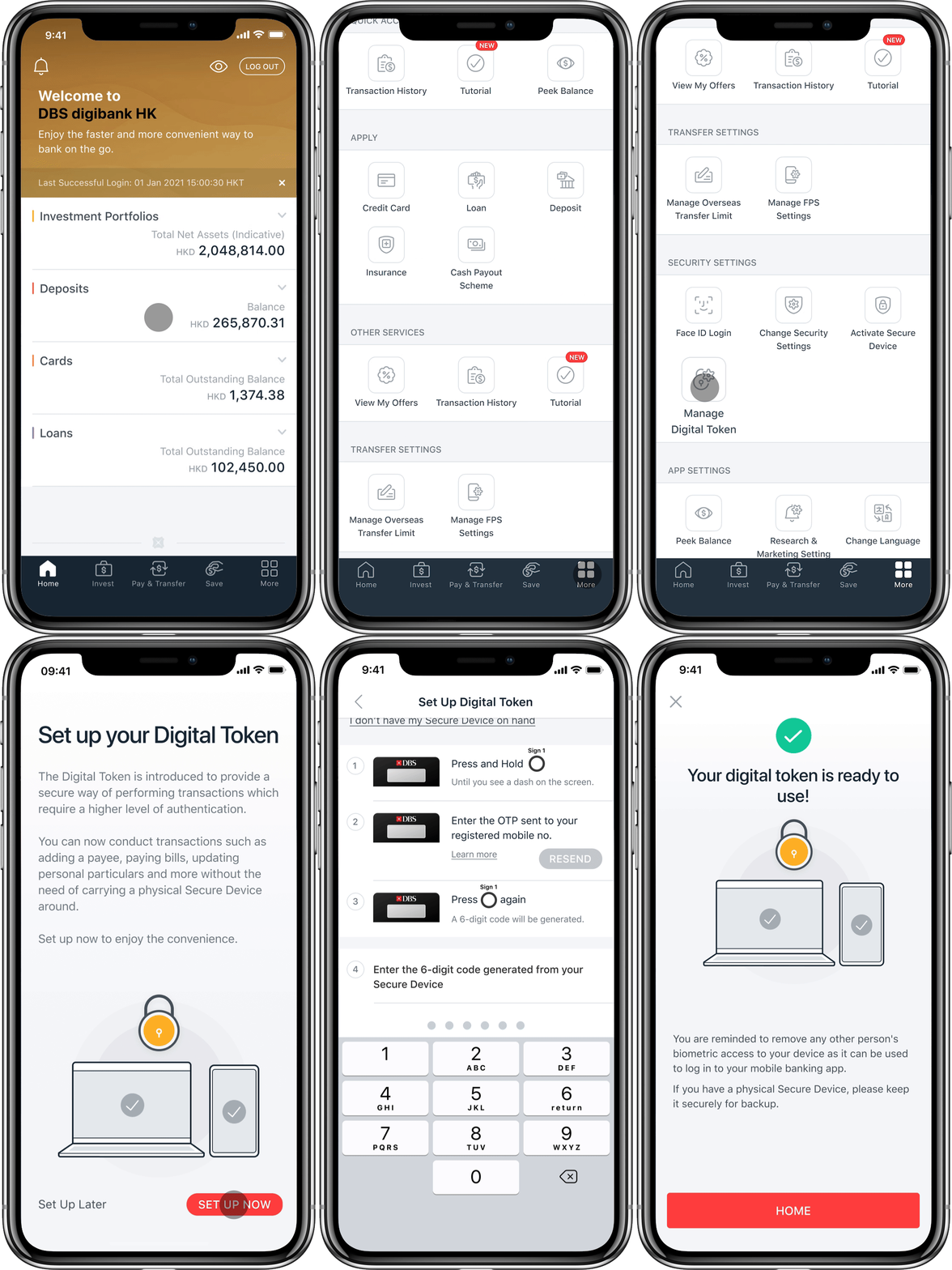
 until you see a dash on the screen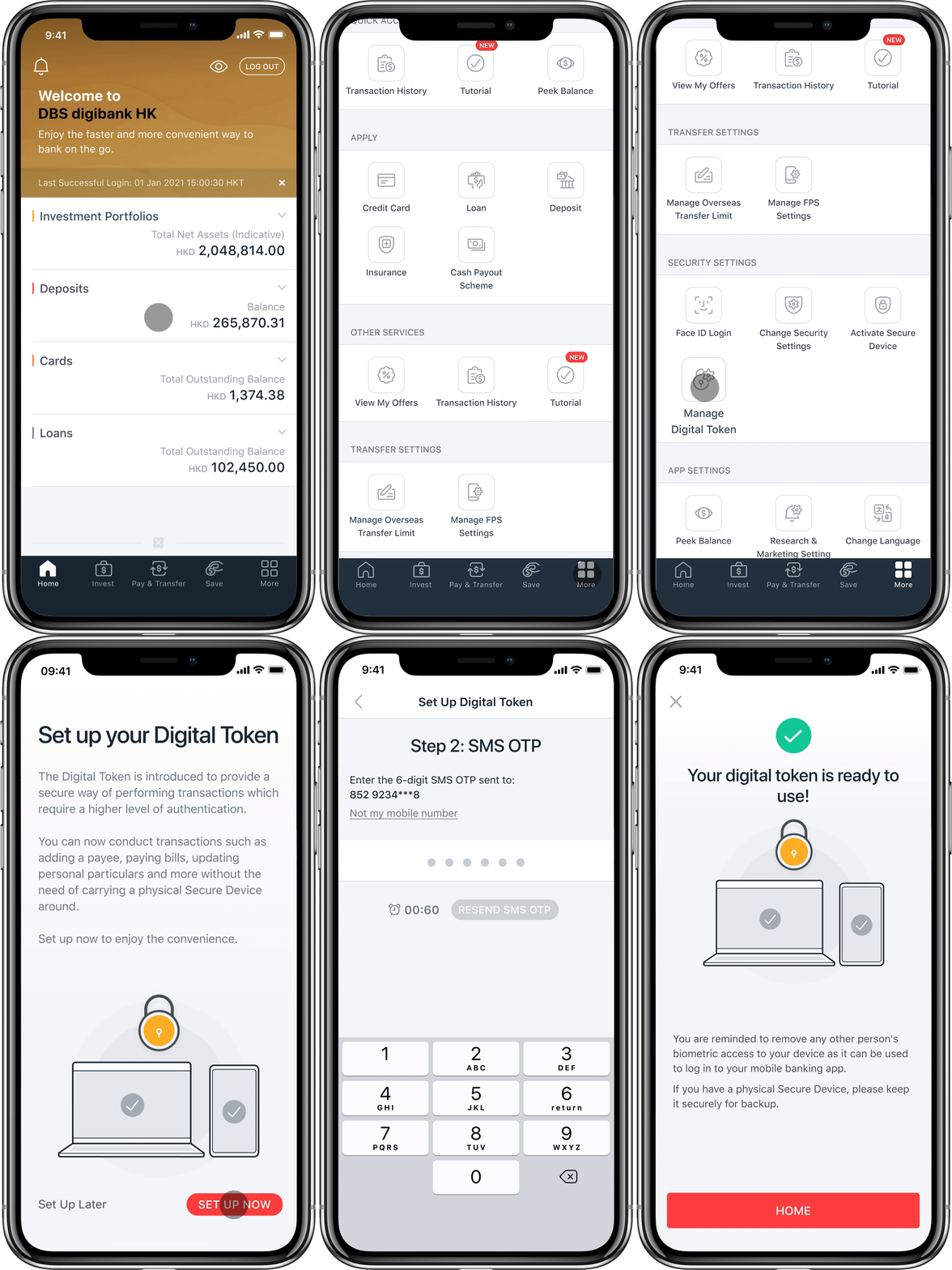
Frequently Asked Questions
Digital Identity Verification
What is Digital Identity Verification?
- ID Scanning: Scan your Hong Kong Identity Card using your mobile device.
- Taking a Selfie: Your live selfie will be matched with your HKID photo and verify your identity instantly.
Who will need Digital Identity Verification (eIDV) for setting up digital token?
What do you need for Digital Identity Verification?
How is Digital Identity Verification safer?
How long does Digital Identity Verification usually take?
What should I do if the system cannot detect my HKID?
- Ensure the lighting is good with no reflections
- Place the card on a flat and light background
- Ensure all details are clear and uncovered
- Your HKID will be scanned when the frame turns green
If this issue continues, please contact us for assistance.
What should I do if I keep seeing the wrong information in the review page?
Due to security reasons, the number of attempts is limited. Therefore, if your personal details still don’t match after rescanning, please contact us at (852) 2290 8888.
What should I do if the system cannot detect my face?
If this issue continues, please contact us for assistance.
What should I do if I failed my Digital Identity Verification?
If you require any assistance, please contact us at (852) 2290 8888.
What should I do if I am being temporarily blocked?
Followed by the verification by our specialist, you are required to log in and tap ‘More’ and select ‘Manage Digital Token’.
If immediate login is required, you may skip the identity verification for now, but certain transactions will be restricted without a Digital Token or Secure Device.
Digital Token
Do I still need my physical Secure Device?
How is the Digital Token safer?
What do I have to do if I changed my SIM card on mobile device?
Since your Digital Token is linked with your mobile device instead of your SIM card, no special arrangement is needed after you have changed the SIM card or mobile phone number on your device with your registered Digital Token.
If you have changed your mobile phone number, please update bank records via DBS iBanking. Your Digital Token or physical Secure Device is required when updating personal information.
I have more than one mobile device. Can I enable the Digital Token on multiple devices?
If I have lost my physical Secure Device, do I need to request for a replacement to set up my Digital Token?
A Secure Device is not necessary to set up your Digital Token. You may set up your Digital Token by receiving a One Time Password from your email and SMS.
If you have lost your Secure Device, please reach out to our 24-Hour Customer Service Hotline on 2290 8888 to disable your Secure Device.
Please click here for more Digital Token FAQs.
Download DBS digibank HK
Google Play™ is a service mark of Google Inc.
Huawei AppGallery is provided by Huawei Services (Hong Kong) Co., Limited. HUAWEI EXPLORE IT ON AppGallery and the HUAWEI EXPLORE IT ON AppGallery logo are the registered trademarks of Huawei Technologies Co., Limited.