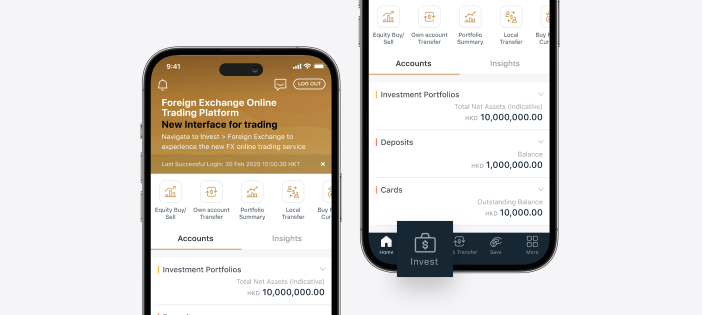
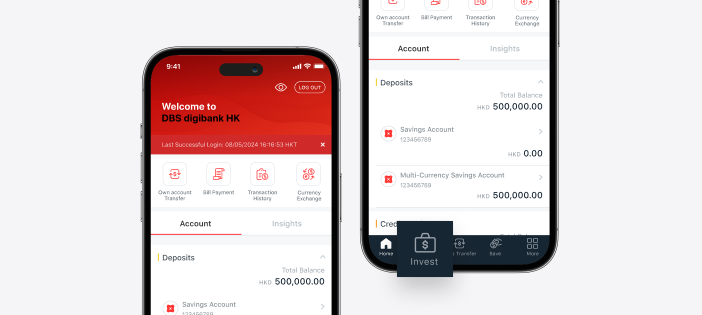
Log in to DBS digibank HK app and tap <Invest> on the bottom menu.
2.
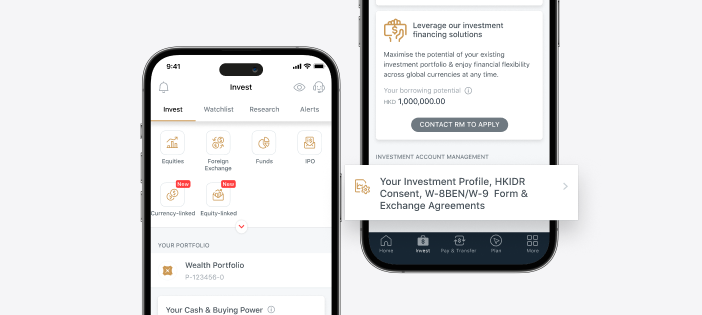
Scroll to the bottom of the page and tap <Your Investment Profile, HKIDR Consent, W-8BEN/W-9 Form & Exchange Agreements>.
3.
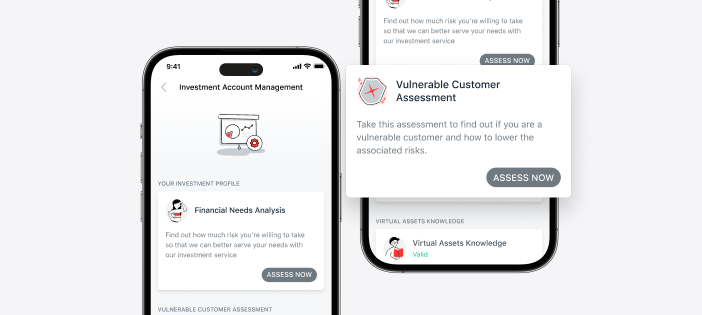
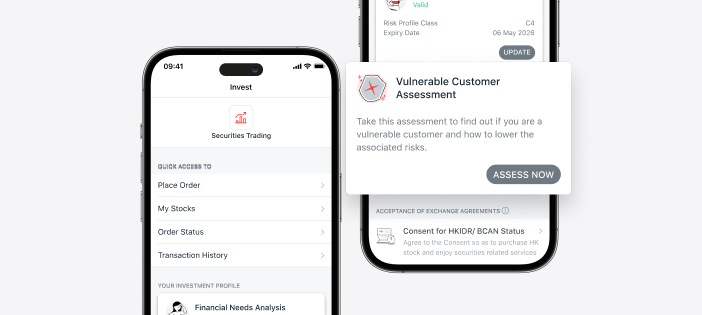
On Vulnerable Customer Assessment tile, tap <ASSESS NOW> if you are submitting the assessment for the first time, or tap <UPDATE> to renew your assessment.
4.
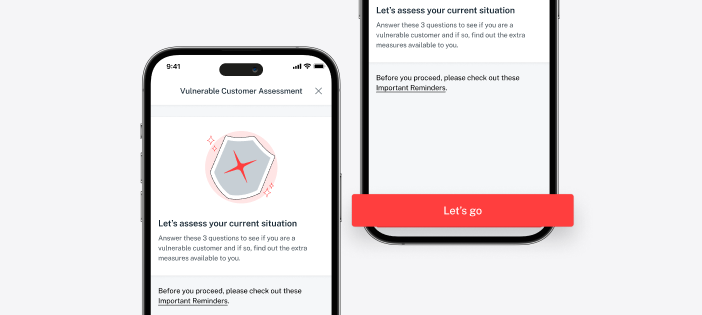
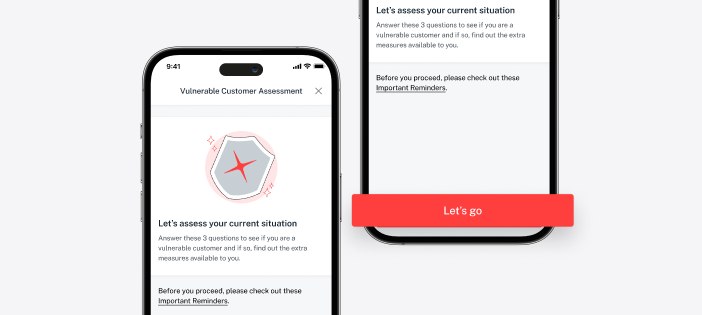
Tap <Let’s go> or <Update assessment> to start your Vulnerable Customer Assessment.
5.
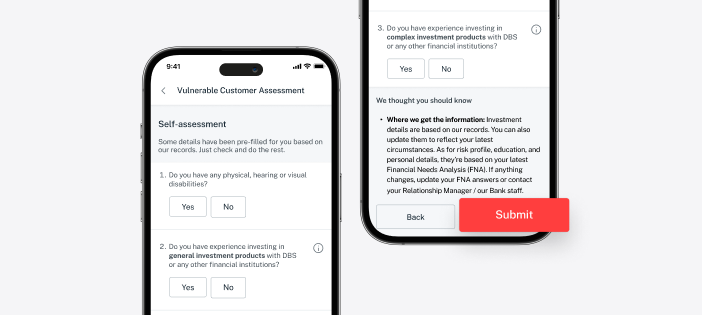
Take this assessment to find out if you are a vulnerable customer and how to lower the associated risks.
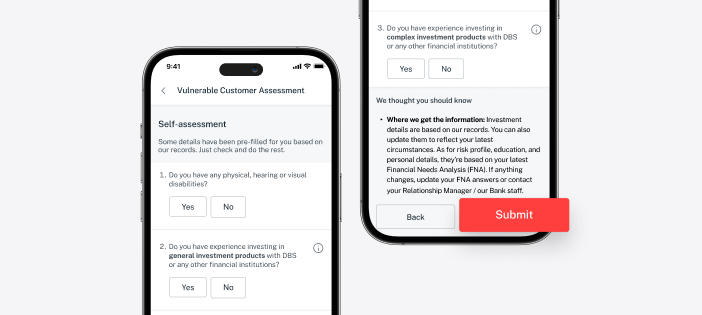
Tap <SUBMIT> to complete the questionnaire, and your assessment result will be reflected in real time.
If you have doubts about your Vulnerable Customer Assessment result, you can retake the whole questionnaire or reach out to your Relationship Manager/our Bank staff to understand more about your situation.
For other DBS clients
1.
Log in to DBS digibank HK app and tap <Invest> on the bottom menu.
2.
On Vulnerable Customer Assessment tile, tap <ASSESS NOW> if you are submitting the assessment for the first time, or tap <UPDATE> to renew your assessment.
3.
Tap <Let’s go> or <Update assessment> to start your Vulnerable Customer Assessment.
4.
Take this assessment to find out if you are a vulnerable customer and how to lower the associated risks.
Tap <SUBMIT> to complete the questionnaire, and your assessment result will be reflected in real time.
If you have doubts about your Vulnerable Customer Assessment result, you can retake the whole questionnaire or reach out to your Relationship Manager/our Bank staff to understand more about your situation.