

Anti-Malware Security Features
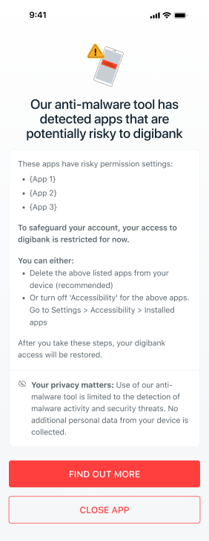

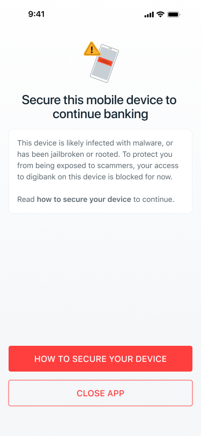
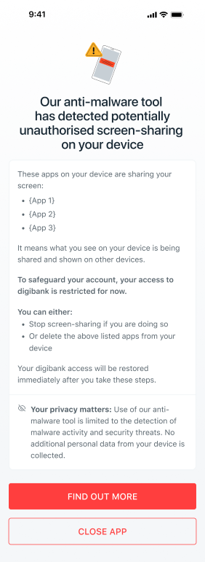
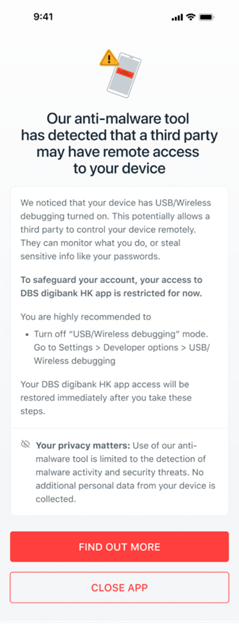
Is your device jailbroken or rooted?
What is jailbreak or rooting?
Jailbreaking (for Apple devices) or rooting (for Android devices) means removing the software restrictions put in place by device manufacturers. Some users do this so they can install third-party software from unofficial sources.
Why is jailbreaking or rooting unsafe?
Your device’s manufacturer sets limitations so you can only use software that is verified, safe and legal. By jailbreaking or rooting and downloading unofficial apps, it:
- gives malicious apps and their creators, possibly scammers, a back door into your phone and private data
- voids the warranty of your device
- can damage your device and make it faulty or unstable
- weakens your device security
- may be illegal if you download software that infringes on copyright laws
What should you do?
You may wish to perform a factory reset on your device. If this does not work, you may need to setup your digibank Mobile on another device which has not been jailbroken or rooted.
Frequently Asked Questions
What if you need to make an urgent transaction?
If you need to make an urgent banking transaction, you may visit any of our DBS ATMs or branches where our staff can help you with your requests. Find the nearest branch and their opening hours using our ATM & Branch Locator.
You may also use DBS iBanking on your laptop or desktop. However, only limited services will be available as you will not be able to perform some transactions that require additional authentication. For instance, the adding of new recipients or increasing of your transaction limits.
You are strongly encouraged to secure your mobile device before you continue to perform any banking activity.
You may also use DBS iBanking on your laptop or desktop. However, only limited services will be available as you will not be able to perform some transactions that require additional authentication. For instance, the adding of new recipients or increasing of your transaction limits.
You are strongly encouraged to secure your mobile device before you continue to perform any banking activity.
Does DBS digibank HK scan your device or collect personal information?
Your privacy matters. Use of the anti-malware tool is limited to the detection of malware activity and security threats. No additional personal data from your device is collected.
Can customers opt out of this security feature?
No. With the rise in malware-related scams and attacks, this is a mandatory security feature that has been put in place to safeguard your banking accounts and monies.
If you do not see the message, does it mean that your device is 100% secure from malware?
While this security feature can detect malware activity with a high degree of accuracy, no security feature is foolproof. As scammers become more sophisticated in their operations, we encourage customers to play their part to form a strong multi-layered defence.
To remain vigilant, be careful of the types of apps you install and the permissions you enable on your phone. Check out our Security Alerts webpage to be aware of the latest security threats.